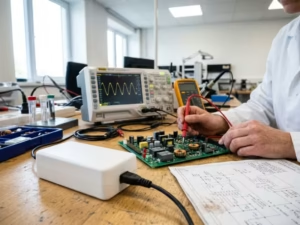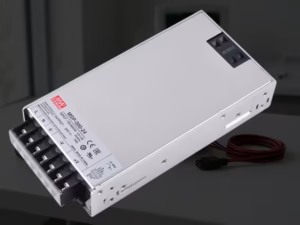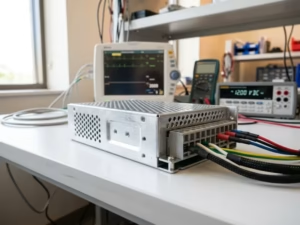
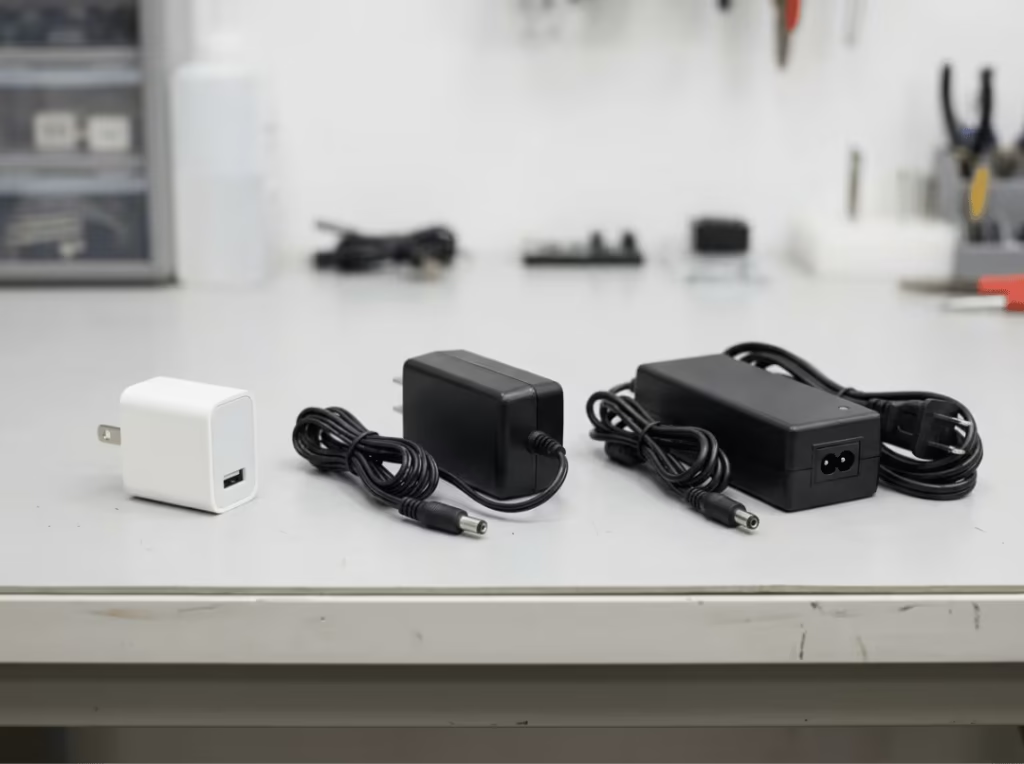
Most people already own several DC 5V chargers. The wall adapter next to your bed, the supply behind your router, the brick powering your Raspberry Pi — they’re all DC 5V chargers, just sold under different names. The voltage is the same. What varies is the current rating, the connector type, and the quality of the unit.
Most compatibility failures trace back to four mistakes: mismatched current ratings, the wrong connector, reversed barrel polarity, and poor cable quality. This guide covers the specs that actually matter, the use cases where they play out differently, and a practical selection process to get it right.

What a DC 5V Charger Actually Is
A Simple Definition
A DC 5V charger converts AC mains power (110V or 230V) into regulated 5V direct current. DC flows in one direction at a stable voltage — unlike AC, which alternates. That stability is what makes it suitable for sensitive electronics, and it’s why 5V DC became the default for portable and low-power devices.
Charger, Cable, and Device Are Three Separate Links
The charger sets the voltage and maximum current. The cable carries current — and can limit it if it’s poorly made. The device decides how much current it actually draws. Any link can be the weak point. Blaming the charger when the cable is undersized wastes time and money. Assess each component independently.
Why 5V Became the Standard
USB was standardized at 5V, and that single decision shaped the consumer electronics ecosystem for decades. Battery charging ICs, microcontrollers, and logic-level components are commonly designed around this voltage. Even as fast-charging protocols emerged, 5V remained the default fallback that virtually every USB device supports.
The Specs That Decide Whether a 5V Charger Will Work
Voltage Must Match Exactly
Voltage is not approximate. A device rated “Input: 5V DC” expects 5V — not 5.2V from a poorly regulated adapter, not 9V from the wrong charger with a matching barrel. Overvoltage can damage power management circuitry. Undervoltage causes instability, reboots, or failed startup.
The spec is on the device’s input label. Read it. Two chargers that look identical are not necessarily interchangeable — connector shape and output voltage are separate specs.
Current Rating Is a Ceiling, Not a Constant
This is the most misunderstood spec in DC 5V charger selection. A 5V/2A charger can supply up to 2A. It does not push 2A into whatever it’s connected to. The device draws only what it needs.
A higher-amperage charger is not dangerous to a lower-draw device. A 5V/3A charger powering a 5V/1A device delivers 1A — the rest of the headroom goes unused. The risk runs the other way: a charger rated below the device’s draw will run at or beyond its limit, causing voltage sag, heat stress, and in low-quality units, instability or shutdown.
The rule: match voltage exactly, then meet or exceed the current requirement.
Wattage Lets You Compare at a Glance
Watts = volts × amps. At 5V: a 1A charger is 5W, 2A is 10W, 3A is 15W. Wattage is a useful shortcut when current ratings aren’t prominently labeled, but it doesn’t confirm compatibility on its own. A 45W USB-C PD charger might output 5V/3A to one device and negotiate 20V/2.25A to another. Always verify the actual 5V output spec, not just the headline wattage.
Connector Type and Barrel Polarity Can Break Compatibility
A charger with the right voltage and current rating still fails if the connector doesn’t fit or the polarity is reversed.
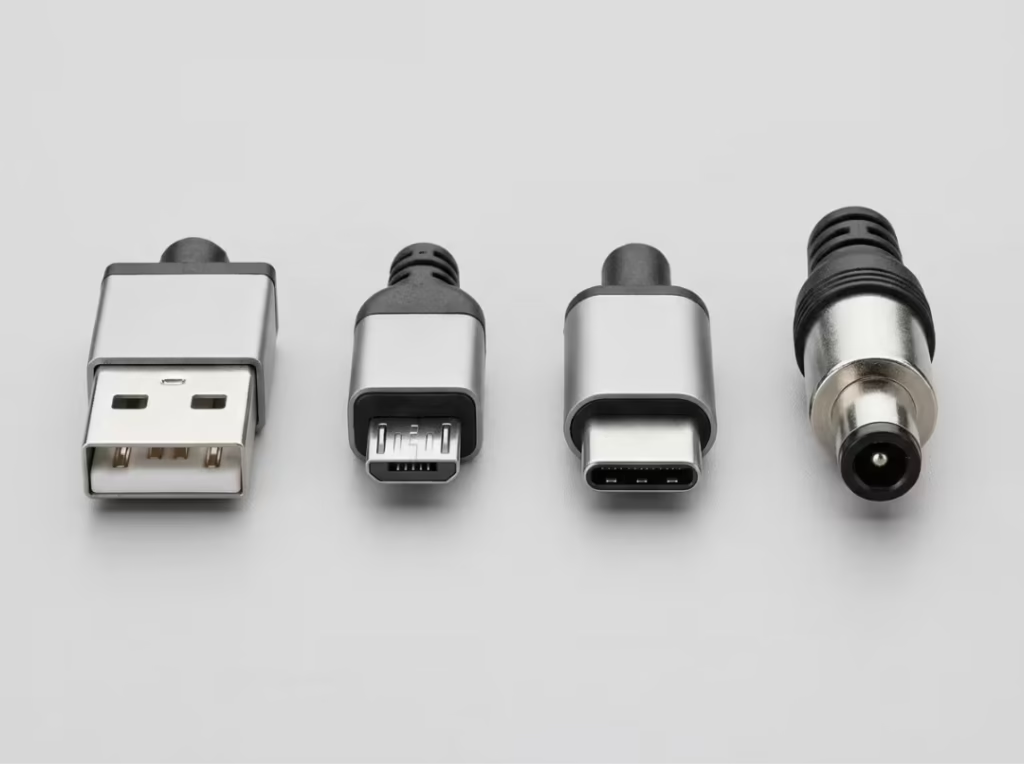
Common connector types for DC 5V chargers:
- USB-A: the dominant consumer standard; polarity is fixed by the connector
- Micro-USB: legacy Android devices and many embedded boards
- USB-C: increasingly universal; supports both standard 5V and optional Power Delivery
- DC barrel jack: routers, cameras, development boards, and many industrial accessories; requires matching outer diameter, inner diameter, and polarity
Barrel connectors are the main polarity risk. Most are center-positive — the inner pin is +5V — but not all. Connecting a center-negative device to a center-positive adapter can cause immediate damage. The polarity diagram on the device label (a circle with a center dot, marked + and −) specifies which is expected. Check it before buying.
For a full breakdown of connector compatibility across USB-A, USB-C, Micro-USB, and DC barrel formats, see DC 5V Compatibility: Which Chargers and Cables Work?
When Other Specs Matter
For most consumer devices, voltage, current, and connector are sufficient selection criteria. For continuous-duty or sensitive loads — Raspberry Pi boards, industrial sensors, precision analog circuits — two additional specs become relevant: output ripple (how much the DC voltage fluctuates) and regulation accuracy (how tightly the charger holds 5V under varying load). Certified chargers (CE, FCC, UL) are tested against defined thresholds for both. Uncertified units may perform adequately at room temperature under light load and drift significantly under real operating conditions.
Common Uses for a DC 5V Charger
Phones and Tablets at Standard 5V
Standard USB charging operates at 5V. A 5V/2A charger is the practical minimum for smartphones; tablets draw more and benefit from 5V/2.4A or higher. Devices that support fast charging will negotiate a higher voltage when the charger supports the same protocol — but without that handshake, both sides default to 5V. Any standard 5V charger remains a reliable fallback, regardless of the device’s fast-charge capability.
Small Electronics and Smart Devices
Bluetooth speakers, smart displays, wireless earbuds, e-readers, LED strip controllers, and IoT accessories typically draw 500mA to 1.5A at 5V. A 5V/2A charger covers the vast majority. The main selection variable is the connector type, which varies by manufacturer and product generation.
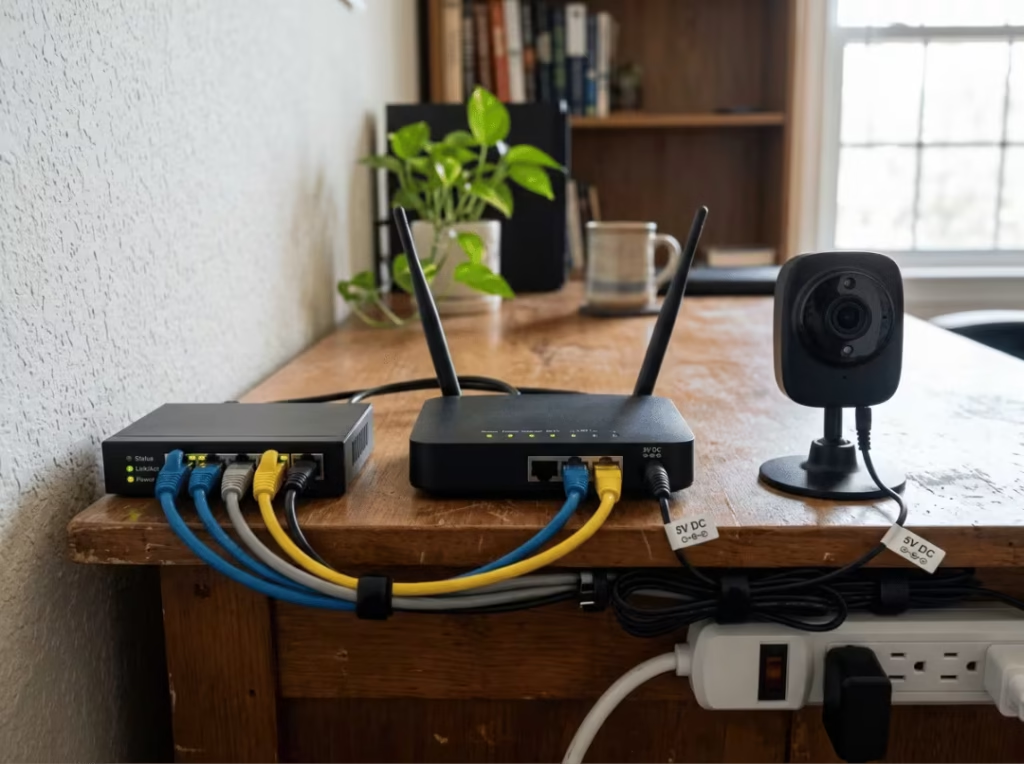
Routers, Cameras, and Network Accessories
Compact routers, IP cameras, and network switches commonly run on 5V DC via barrel jack adapters. A basic router might draw 5V/1A; a multi-band router with USB ports can pull 5V/2.5A or more. These devices run continuously, which makes charger quality more important than for intermittent use. Size the replacement adapter for at least 20–25% above the device’s rated draw, and verify all three barrel specs — outer diameter, inner diameter, and polarity — before purchasing.
Raspberry Pi, Arduino, and DIY Electronics
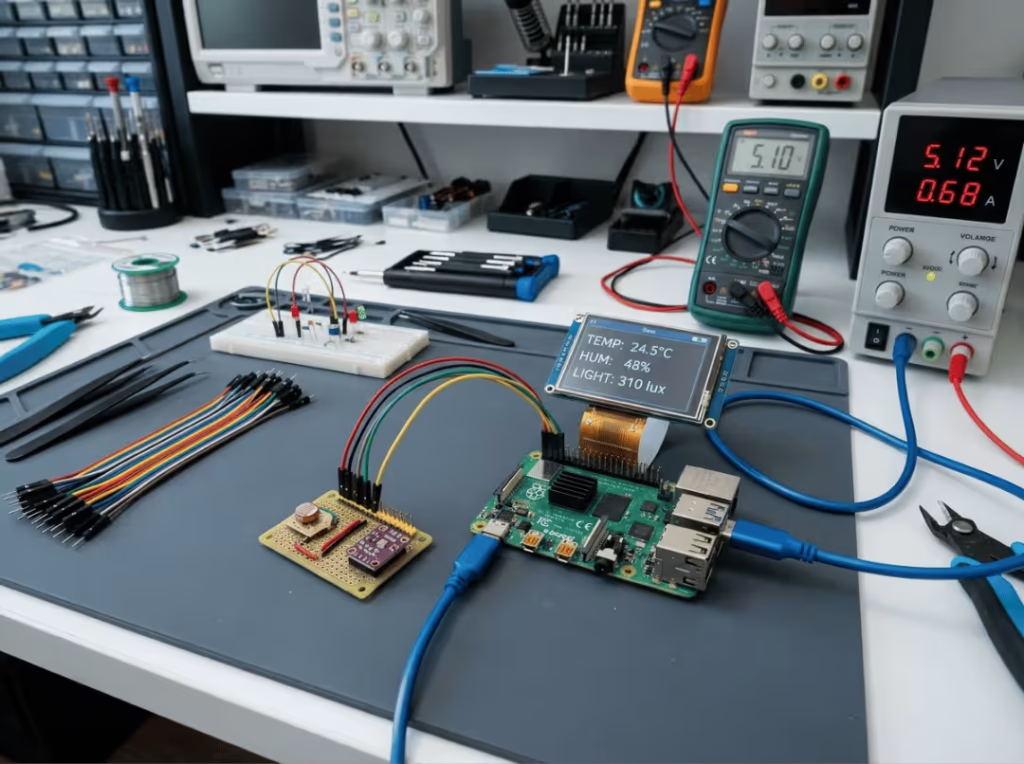
This is where power supply quality has the most visible consequences. The Raspberry Pi Foundation specifies 5V/3A for the Pi 4 and 5V/5A for the Pi 5. An undersized or poorly regulated supply causes the undervoltage lightning bolt warning and can produce random crashes, filesystem corruption, or boot failures.
Arduino boards alone typically draw under 500mA, but connected sensors, shields, and servo motors push the total significantly higher. For any DIY system, calculate the current draw of every connected component and add 20–25% headroom. Cable quality matters as much as charger rating here: a long or thin cable introduces enough resistance to register as undervoltage at the board, even when the charger output is correct. A 24AWG cable over a moderate run length behaves very differently from a 28AWG cable.
How to Choose the Right DC 5V Charger
Step 1: Read the Device’s Input Label
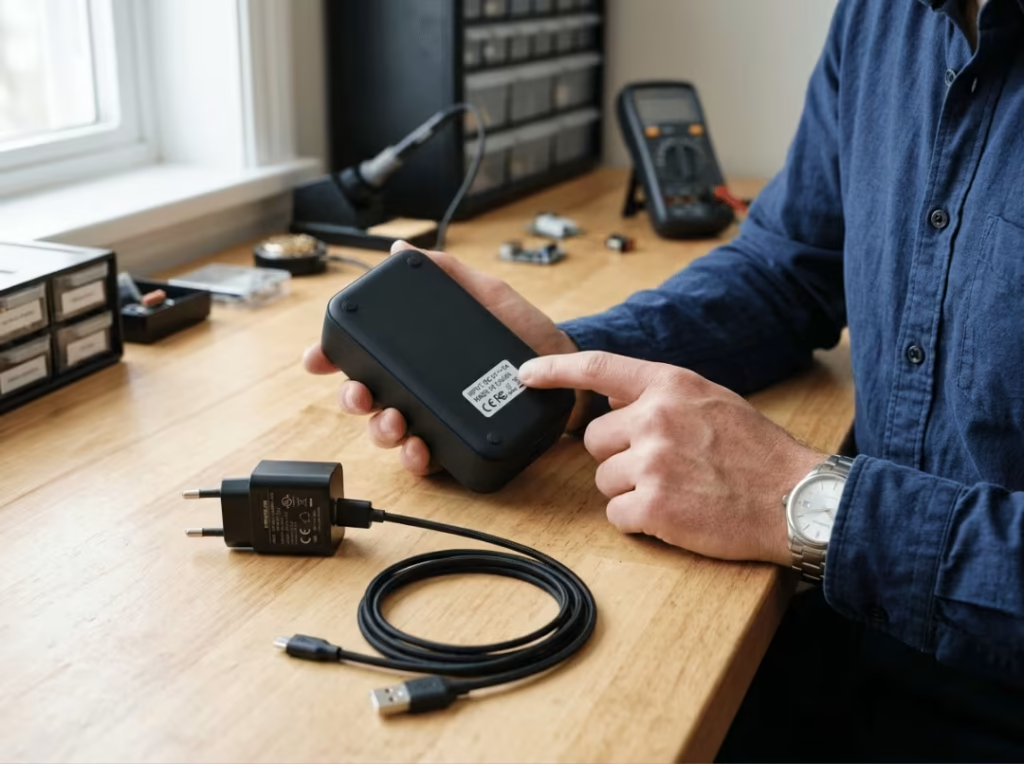
Start with the device. The input specification — voltage, current, and often connector polarity — is printed on the underside, rear panel, or battery compartment, typically formatted as “Input: 5V DC 2A.” This is the authoritative reference. If the label is gone, check the original adapter’s output spec or the product documentation. Do not assume based on connector shape alone.
Step 2: Match Voltage, Then Meet or Exceed the Current
5V in, 5V out — exact match, no exceptions. Once voltage is confirmed, the charger’s rated current must equal or exceed the device’s draw. A device rated 5V/2A needs a charger capable of at least 2A. Going higher is safe; going lower is not.
For systems with multiple attached components — a Pi with external drives, sensors, and a display — sum the current draw of all connected peripherals before sizing the supply. The board’s rated current does not account for what’s plugged into it.
Step 3: Confirm the Connector and Polarity
USB connectors are physically keyed — they only insert one way, polarity included. Barrel jacks are not. Confirm both the barrel dimensions (5.5mm/2.1mm and 5.5mm/2.5mm are common but not interchangeable) and the polarity before purchasing. The polarity diagram on the device label is the definitive source. Do not assume center-positive.
Step 4: Match the Charger to the Operating Conditions
Use case determines what matters most:
Intermittent personal use (phone, earbuds, small accessories): A 5V/2A USB-A or USB-C charger from a recognizable brand with a CE or FCC mark is sufficient. No need to overspecify.
Continuous operation (routers, IP cameras, smart home hubs): Heat cycling over months of 24/7 use degrades cheap capacitors quickly. Choose a charger rated for continuous duty — typically indicated by a higher operating temperature rating and thermal protection — with 20–30% current headroom above the device’s spec.
Development boards (Raspberry Pi, Arduino with peripherals): Use the manufacturer-recommended supply or a verified equivalent with low output ripple and tight regulation. Phone chargers look similar on paper but often deliver inconsistent output under load. The Pi’s undervoltage warning is frequently caused by inadequate charger regulation, not insufficient rated current.
Portable or travel use: A compact GaN USB-C PD charger handles both standard 5V devices and fast-charge-capable devices from a single port — the most versatile single-charger option.
Step 5: Avoid Uncertified Chargers for Demanding Applications
An uncertified charger that overheats, sags under load, or outputs unstable voltage is worse than an undersized one — it can silently damage the connected device. Red flags include no CE, FCC, or UL marking; a vague current range (“1–2A”) instead of a single rated value; no identifiable manufacturer; and pricing well below market for the claimed output.
For anything running continuously or powering sensitive electronics, the cost difference between a certified and uncertified charger is marginal compared to the replacement cost of the device it’s powering.
DC 5V Charger vs Fast Chargers: What Changes and What Doesn’t
5V Is Still the Default
Fast charging doesn’t replace 5V — it adds to it. USB Power Delivery and Qualcomm Quick Charge negotiate higher voltages only when both the charger and device support the same protocol. Without that handshake, the charger defaults to 5V. A 65W USB-C PD charger connected to a basic 5V router outputs 5V. The fast-charging capability goes unused, and the device operates normally.
What PD and QC Actually Do
Both protocols negotiate a higher output voltage — 9V, 12V, 15V, or 20V — to deliver more wattage without requiring extreme current. A phone charging at 18W via Quick Charge might receive 9V at 2A rather than 5V at 3.6A. That negotiation only occurs with a compatible device on a compatible cable. For fixed-voltage 5V loads like routers, cameras, and most development boards, fast-charging infrastructure delivers no advantage and doesn’t alter the 5V output.
When a Fast Charger Is Worth It
A standard 5V supply is the right tool for a fixed 5V device. A fast charger costs more and adds capability that won’t be used. The case for a USB-C PD charger is a mixed-use scenario — one port that handles a laptop, a phone with fast charge, and a standard 5V accessory, without carrying three separate adapters.
Common Mistakes to Avoid
Reading the input voltage instead of the output voltage. The input label on a charger describes the AC mains it accepts — 100–240V. The output label describes what it delivers to your device. These are not the same. A 9V fixed-output adapter connected to a 5V device because the barrel fits is one of the most reliably damaging mistakes in low-voltage electronics.
Assuming more amps means damage. A 5V/3A charger on a 5V/1A device delivers 1A. The device’s internal circuitry limits its own draw. Excess current capacity sits unused. The problem is always the other direction: too little current capacity for the load.
Skipping barrel polarity verification. A reversed barrel connection on a device without polarity protection causes immediate damage. The diagram on the device label takes seconds to check. Not checking it is the most avoidable source of DC power damage in consumer electronics.
Replacing the charger when the cable is the problem. Resistance in a long or thin cable drops voltage before it reaches the device. A Pi showing undervoltage warnings with a 5V/3A charger attached may simply need a thicker cable, not a higher-rated charger. Swap the cable first.
Using a cheap charger for continuous or sensitive loads. A no-name charger may hold 5V adequately under intermittent, light use. Under 24/7 load — a router, a camera, a Pi running a service — it may overheat, drift in output voltage, or fail prematurely. The device connected to it often shows the symptoms before the charger does.
Frequently Asked Questions
Can I use a 5V charger with a device that needs a different voltage?
No. Voltage must match the device’s rated input exactly. A fixed 9V or 12V charger with a matching barrel connected to a 5V device will likely damage it. A 5V supply on a device that requires more will fail to power it. The only exception is a device with a rated input voltage range (e.g., “Input: 5–12V DC”), which is uncommon in standard consumer products.
Is a higher-amperage 5V charger safe?
Yes, if the voltage matches. A 5V/3A charger on a 5V/1A device delivers 1A — the device draws only what its circuitry allows. The higher current rating means the charger can handle more demanding loads, not that it forces extra current into smaller ones. Running below rated capacity reduces thermal stress on the charger.
Why does my phone charge slowly with a 5V charger?
Three likely causes: the charger’s current rating is below the phone’s optimal draw (a 5V/1A charger on a phone that prefers 5V/2A); the cable has high resistance and is limiting current delivery; or the phone supports a fast-charging protocol the charger doesn’t. Check all three before replacing anything — the cable is the most commonly overlooked factor.
How do I check barrel jack polarity?
Look at the input label on the device, near the DC jack. A small diagram shows a circle with a center dot and an outer ring, marked with + and − symbols. The position of the + symbol indicates whether the center pin is positive (center-positive) or negative (center-negative). Most consumer devices are center-positive, but verify rather than assume. The original adapter’s output label will show the same diagram.
Can a 5V charger power a laptop?
Not practically. Most laptops require 15V to 20V at 2A to 5A — well above what a 5V supply can deliver. Some ultra-thin laptops with USB-C PD support will accept 5V for trickle charging, but 5V × 3A = 15W is insufficient for most laptop power demands. Check the laptop’s charging specification; it will list the required PD voltage profile.
Are cheap no-name 5V chargers safe?
For low-stakes, intermittent use they may be tolerable. For continuous operation, development boards, or any application where voltage instability causes data loss or hardware damage, uncertified chargers introduce real risk. They commonly skip overcurrent, overvoltage, and short-circuit protection. Output voltage can drift under load, and thermal protection is often absent. For anything beyond occasional phone charging, the difference in cost between a certified and uncertified unit is not a meaningful consideration.
Three Specs, Every Time
Voltage must match exactly. Current must meet or exceed the device’s draw. The connector must fit, with barrel polarity verified for non-USB connections.
Read the device’s input label before selecting a charger. Those three parameters — confirmed before purchase, not assumed — eliminate most compatibility failures. For anything running continuously or powering electronics where stability matters, add one more requirement: a certified unit from a manufacturer you can identify.