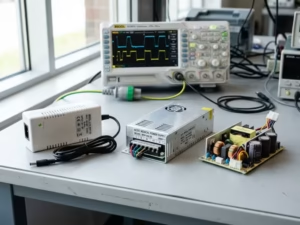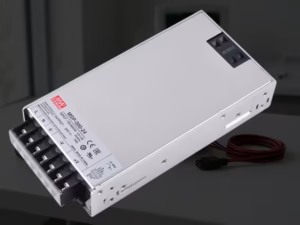
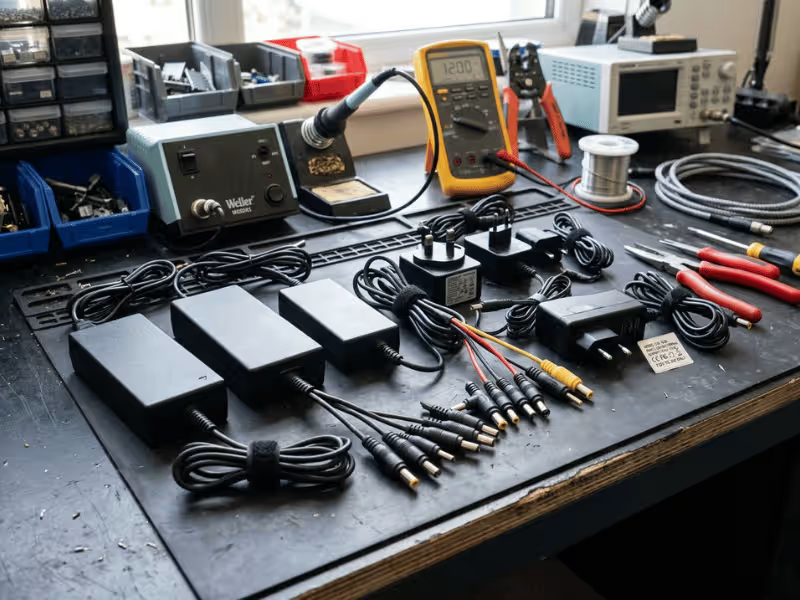
Most external power supplies look almost the same. A black brick, a barrel plug, a few numbers on a sticker. So people assume any one that fits will work.
That assumption breaks devices every day.
I have helped people replace dead adapters and spec supplies for new products. The wrong pick shows up fast: random resets, buzzing, heat, or a board that quietly dies.
The good news? Choosing well is not hard once you know the rules.
Some specs must match exactly. Others can have margin. And a few marks on the label tell you whether the supply is safe and legal to use.
This guide walks you through both paths: finding a replacement, and choosing a supply for a new build. You will learn what to match, what to oversize, and how to read voltage, polarity, connectors, efficiency, and certification with confidence.
Why the Right External Power Supply Matters
A power supply that can’t keep up shows its weakness quickly. The device resets under load. The brick runs hot. Performance drops for no obvious reason. Undersize the current or wattage, and you get instability that’s easy to blame on the device itself.
Get the voltage or polarity wrong, and the failure is worse. Reversed polarity can kill a board in seconds. Too much voltage can cook components before you smell the smoke. There’s no warning and no undo.
Cheap adapters cause a different kind of damage. To hit a low price, they skip the parts that keep you safe:
- Fuses that cut power during a fault
- Isolation barriers that separate you from the mains
- Thermal cutoffs that shut things down before they overheat
Drop these, and you invite electrical noise, interference with nearby electronics, overheating, and in the worst case, fire.
For anyone building or selling a product, the stakes shift again. Certifications and efficiency ratings aren’t marketing points. They’re the line between a product you can legally ship and one that fails inspection or triggers a recall.
So the right supply isn’t about matching a plug. It’s about protecting the device, the user, and your ability to sell.
Start Here: Can a Replacement Power Supply Work?
Your adapter died or went missing, and now you need one that works. Good news: most replacements are easy once you know what to check.
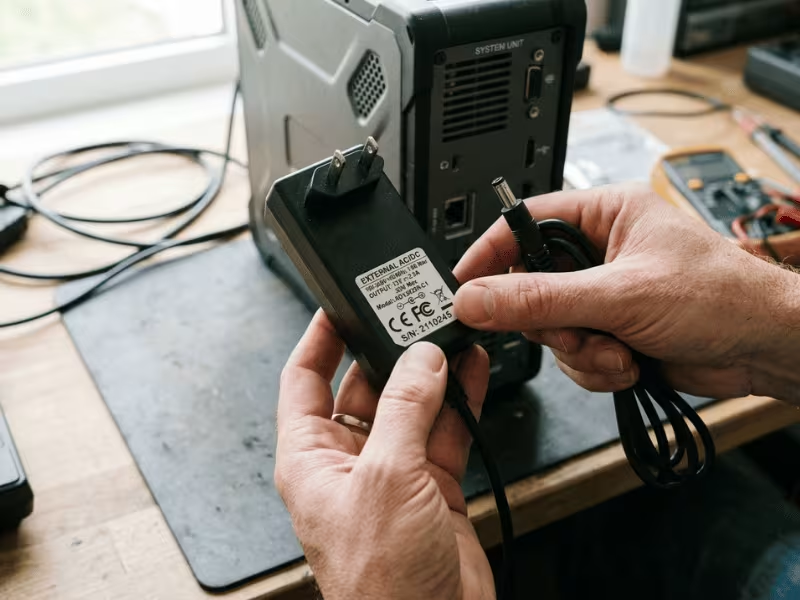
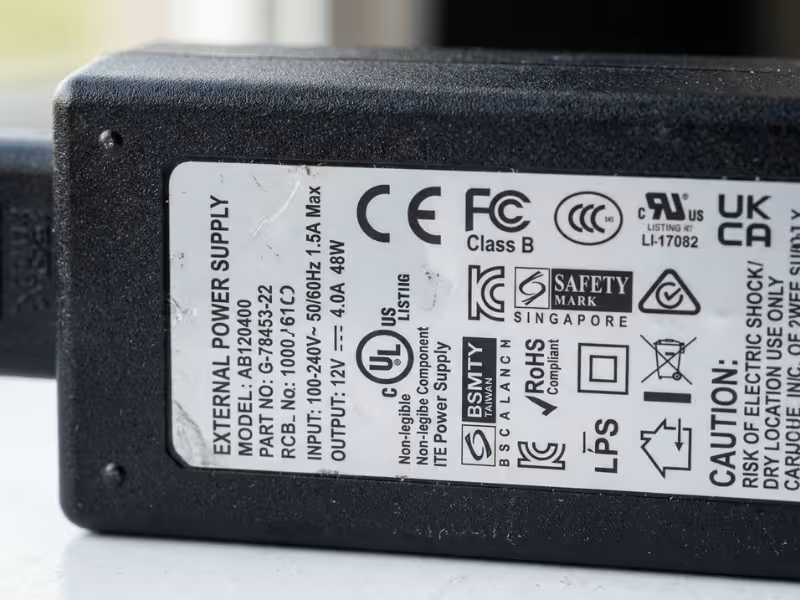
Grab the old supply, or the device itself, and find the label. That sticker holds almost everything you need. Snap a photo before it disappears into a drawer.
The old label lies to you in one case only: when it’s worn off or wrong. When that happens, trust the numbers printed on the device instead.
I’ve swapped hundreds of adapters, and the viable ones almost always pass the same short test. Run through these six checks before you buy:
- Voltage matches exactly
- Current rating equal or higher
- Polarity matches
- Connector size matches
- Input range suits your mains
- Safety certification you can verify
Clear all six, and a replacement will almost always work.
The 6 Specs You Must Match Before Buying
Six numbers decide whether a supply works or wrecks your device. Get these right, and the rest is detail. Let me walk you through each one the way I check them on the bench.
1. Voltage: Match It Exactly
Voltage is where guessing gets expensive. The output printed on your supply must match what the device wants. A 12V device needs a 12V supply. Full stop.
“Close enough” is a trap. People see 12V and grab a 15V brick because it fits, then wonder why the board is dead.
Some devices tolerate a small swing, often a few percent. Many don’t. You can’t tell which from the outside, so don’t assume any margin exists.
Cases like 19V versus 18.5V come up a lot, and I’ll cover those in the FAQ. For now, treat voltage as fixed. Match it, and move on.
2. Current: Equal or Higher Is Usually Fine
Current confuses people because they read the rating backward. A supply’s amp rating is the most it can deliver, not what it forces out. Your device pulls only what it needs.
So a 12V 5A supply on a device that wants 12V 2A? Perfectly fine. The device takes its 2A and ignores the rest.
The real danger runs the other way. Undersize the current and the supply strains to keep up. You get heat, voltage sag, and random shutdowns.
Higher is safe. Lower is risky.
Leave extra room for anything with a startup surge. Motors, hard drives, and pumps spike well above their running draw when they kick on. I always spec current above that peak, not the idle number, so the supply never fights the load.
3. Wattage: Check the Real Power Margin
Wattage is just voltage times current. A 12V 3A supply gives you 36W. Simple math, easy to check.
The catch is peak versus nameplate. A device might idle at 20W but spike to 45W when it works hard. Spec for the spike, not the resting number.
I add a 20 to 30 percent buffer on top of the real peak. That keeps the supply out of its hottest zone.
A brick running flat out all day gets hot, and heat is what kills these things early. Give it breathing room and it lasts.
4. Polarity: A Small Symbol That Can Kill a Device
Polarity is the tiny detail that ends devices in a heartbeat. Look for the little symbol near the voltage rating: a circle with lines showing which pin is positive.
Center positive is the common layout, so people assume it every time. Don’t. Plenty of gear, especially older audio pedals and some networking hardware, runs center negative.
Reverse the polarity and you can destroy a board instantly. No warning, no smell, just a dead device.
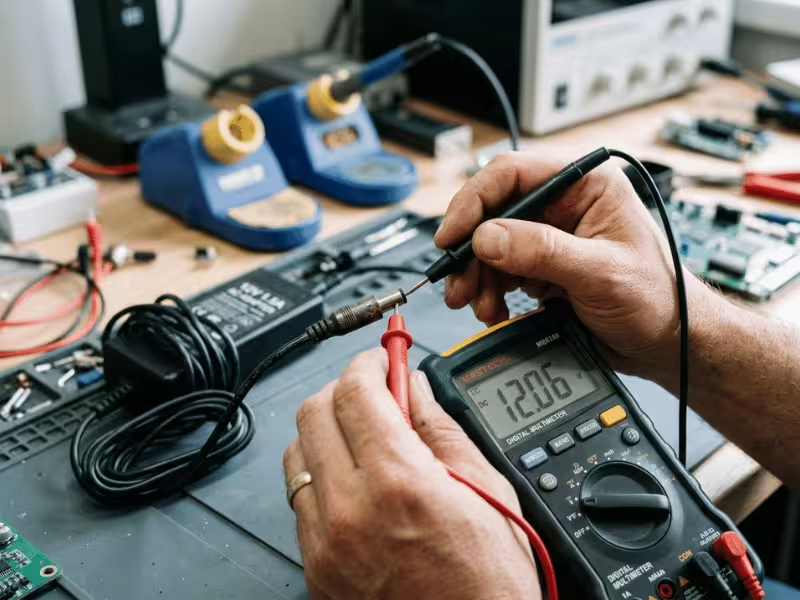
Check the symbol on the old supply and the new one. When the label is worn or missing, put a multimeter on the plug and read it yourself. Ten seconds with a meter beats a ruined device.
5. Connector Size: “Fits” Is Not the Same as “Matches”
A plug that slides in is not proof it’s right. Barrel connectors have two measurements, and both must match: the outer diameter and the inner pin diameter.
Common sizes include 5.5 x 2.1 mm and 5.5 x 2.5 mm. They look identical to the eye but the pin difference matters. A 2.1mm plug on a 2.5mm jack goes in loose.
Loose is bad. A wobbly connection arcs, sparks, and heats up right at the joint. I’ve seen scorched jacks from exactly this.
Too tight is its own problem. Force a slightly oversized plug and you spread or crack the jack.
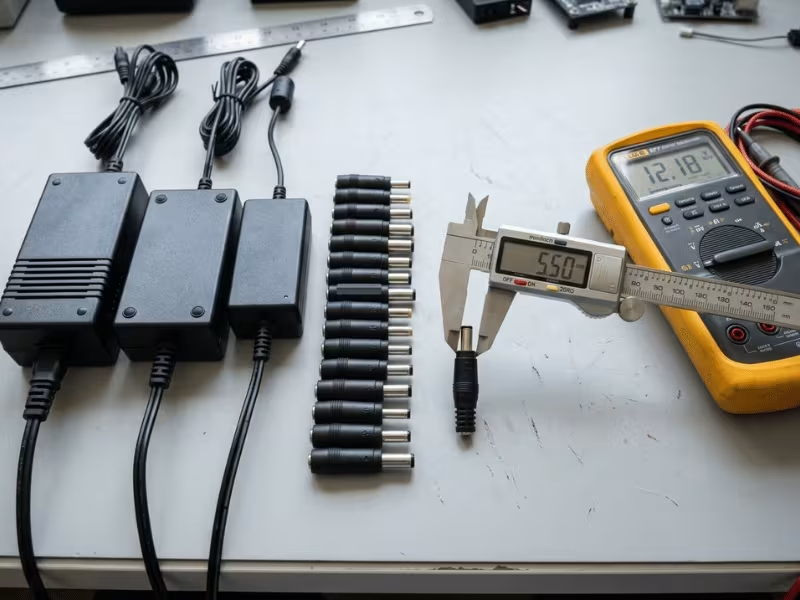
Don’t trust your eyes. Measure both diameters with calipers, or match the part number from a datasheet. Guessing here costs you a repair.
6. Input Range and Plug Type
Input voltage is the last must-match number, and it’s easy to overlook. Most modern supplies read 100–240V, which means they run anywhere with the right plug adapter or cord.
Some supplies are fixed at 120V or 230V only. Feed a 120V unit into 230V mains and it burns. Run a 230V unit on 120V and it may simply fail to power up.
One more thing people mix up: the plug shape is not the same as input voltage. A physical adapter that reshapes the prongs does nothing to change what the supply can handle. Check the printed input range, not just the pins.
Efficiency and Safety: The Specs That Matter After Basic Compatibility
Once a supply matches your device, two questions remain: is it worth running, and is it safe to trust? This is where efficiency ratings and safety marks earn their place on the label.
Efficiency: Why DoE Level VI and Similar Standards Matter
Efficiency tells you how much power the supply wastes as heat. A cheap, inefficient brick burns off energy that never reaches your device. You pay for that waste twice: once on your power bill, and again in the extra heat cooking the supply from the inside.
Heat is the enemy here. The hotter a supply runs, the shorter its life. So a more efficient unit doesn’t just save energy, it lasts longer.
This matters most for anything that stays on around the clock. A router, camera, hub, or access point runs 24/7, and a few wasted watts add up fast over a year.
Look for DoE Level VI on the label. It’s the efficiency mark you’ll see most often on supplies sold in the US, and it signals the unit meets a real minimum for active efficiency and low no-load draw. Just treat it as a floor: a supply that carries it won’t be a heat-spewing power hog.
For always-on devices, I won’t spec anything below it.
Safety Certifications: What to Look for on the Label
Safety marks tell you an independent lab tested the supply. Not every mark carries the same weight, though.
Trust these: UL, ETL, CSA, and TÜV. Each means a recognized testing body checked the design against real safety standards. UL and ETL test to the same requirements, and either one satisfies most inspectors.
CE is different. It’s a manufacturer’s self-declaration, not proof of third-party testing. The maker is simply claiming the product conforms. That claim may be honest, but the mark alone tells you nothing about who verified it.
Watch for fakes. Counterfeit marks are common on marketplace listings, printed on supplies that were never tested at all. A logo on a sticker means nothing if the unit inside doesn’t match what a lab approved.
Here’s my rule: buy from a source you can trace. Look for a real manufacturer name, a specific part number, and a published datasheet. A verifiable listing number you can check against the issuing body beats any self-declared claim. If a seller can’t produce those, walk away.
When Regional Compliance Actually Becomes Important
For a personal replacement, keep it simple. Confirm the safety marks are real and the input range fits your mains. That covers you.
The picture changes when you sell a product, ship across borders, or build for medical or industrial use. Then compliance becomes a gatekeeper, not a bonus. Different regions require different certifications, and medical or industrial gear carries stricter rules for isolation, leakage, and durability. Working with a supplier that publishes clear medical power supply documentation saves you weeks here.
If you’re just swapping a dead adapter, don’t overthink this. If you’re putting a product on the market, sort out the right regional and application-specific requirements early, before production locks in.
How to Choose for a New Device or Product
Replacing an adapter is matching. Speccing one from scratch is design. Here you set the target, so a few habits keep you out of trouble.
Estimate Real Load, Not Just Nameplate Power
Nameplate wattage rarely tells the whole story. Devices draw two very different numbers: what they pull while cruising, and what they spike to under stress.
Continuous power is the easy part. Peak power is where designs fail.
Anything that moves or transmits surges hard on startup. Motors, pumps, and hard drives can pull several times their running draw the instant they spin up. Radios spike when they transmit. LED strips jump the moment they light.
Size for the peak, not the idle. I’ve seen supplies picked off the resting figure that reset every time the load kicked on. Measure the real worst case, then spec above it.
Leave Headroom for Heat, Spikes, and Aging
A supply running flat out has nowhere to go. Give it room to breathe.
My rule is simple: add 20 to 30 percent on top of your real peak load. A design that needs 40W gets a 50 to 55W supply. That margin absorbs surges and keeps the unit out of its hottest zone.
Headroom matters more in tough spots. A sealed enclosure traps heat. An outdoor box bakes in the sun. An always-on device never cools down between cycles.
Aging compounds all of it. Capacitors dry out and efficiency slips over years of service. A supply run at 100 percent from day one wears fast. One run at 70 percent has slack to age into.
Headroom isn’t waste. It’s how you buy reliability.
Consider Noise, Duty Cycle, and Environment
Not every device just wants clean voltage. Some care deeply about how clean it is.
Audio gear, sensors, and precision comms hardware hate ripple. That leftover AC riding on the DC output shows up as hum, drift, or dropped readings. For these, check the ripple and noise spec on the datasheet, and don’t settle for a bargain brick.
Duty cycle shapes the rest. A supply on 24/7 lives or dies by efficiency and thermal design, since every wasted watt becomes heat it must shed forever.
Then there’s the environment. Industrial, outdoor, dusty, or high-temp settings demand more:
- Wide temperature range rated for the actual conditions
- Conformal coating against dust and moisture
- Vibration tolerance for machinery or vehicles
- Surge protection for unstable power lines
Match the supply to where it lives, not just what it powers.
Choose Based on the Real Connector and Interface Strategy
The interface you pick shapes reliability and user experience for the life of the product. Choose it on purpose.
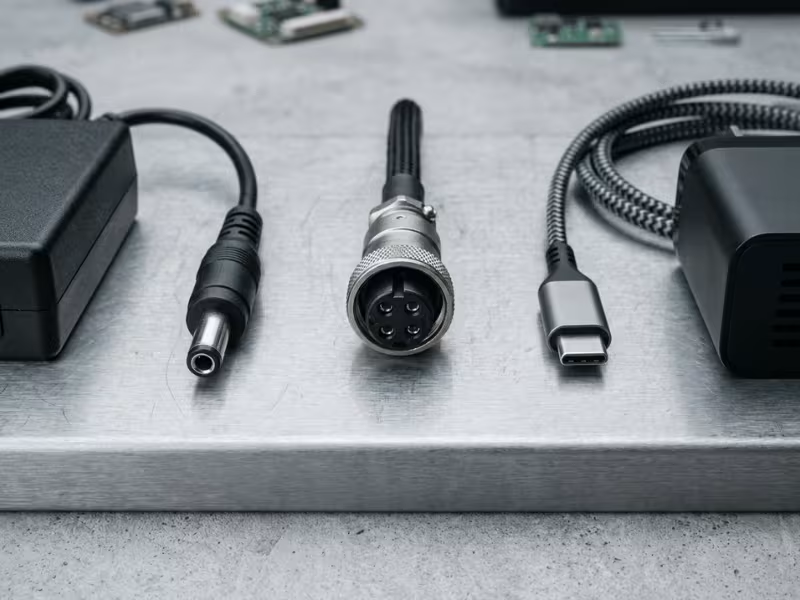
Fixed barrel connectors are cheap and simple. They suit stationary gear that gets plugged in once. The weakness: they slip out, and the wrong-sized plug slides in far too easily.
Locking connectors solve the wobble. Use them for anything that moves, gets bumped, or must never lose power mid-task. They cost more, but they stay put.
USB-C Power Delivery buys you flexibility. One port can serve many devices, and users already own the cables. The trade-off is negotiation complexity and dependence on a properly rated cable for higher loads. A well-built USB-C PD charger can replace a drawer full of fixed bricks.
Think about mis-plug risk too. A barrel jack that accepts a mismatched voltage invites damage. A keyed or negotiated interface protects the user from their own mistake.
Pick the interface that fits how the device will actually get used, not just the one that’s cheapest to fit.
Common Mistakes That Cause Failures
I see the same handful of errors ruin devices again and again. Each one is easy to avoid once you know what to look for. Here are the ones that cost people the most.
Guessing voltage when the label is worn. The sticker rubs off, and people eyeball a number that “looks right.” Then they plug in a 19V brick where a 12V device lived. The board dies on contact. When the label is gone, find the device’s own rating or the part number. Never guess.
Buying on wattage alone. A supply hits the right watts, so people assume it’s a match. But wattage says nothing about polarity or connector shape. A 36W supply with reversed polarity still kills a 36W device. Check every spec, not just the headline number.
Assuming higher current will damage the device. This one runs backward in people’s heads. They think a 5A supply “forces” 5A into a 2A device. It doesn’t. The device pulls only what it needs. Higher current gives you margin; lower current gives you heat and shutdowns. Fear the small supply, not the big one.
Ignoring connector tolerance. A plug slides in, so it must fit, right? Wrong. A 2.1mm plug in a 2.5mm jack wobbles, arcs, and scorches the joint. “Fits” and “matches” are different words. Measure both diameters or match the part number. Loose connections start fires.
Overlooking no-load and always-on efficiency. For a device that runs once in a while, efficiency barely registers. But routers, cameras, and hubs run 24/7. A wasteful brick burns extra watts every hour of every day, and that waste becomes heat that shortens its life. For anything always on, check the efficiency mark before you buy.
Trusting a CE mark without checking the source. People see CE and relax. But CE is a self-declaration, not proof a lab tested anything. Counterfeit marks flood marketplace listings, printed on supplies no one ever checked. A logo means nothing without a traceable manufacturer, a real part number, and a listing you can verify.
Using the wrong supply class when the application changes. A standard ITE power supply powers a medical device fine on the bench, so it goes in. Then compliance fails, because medical gear demands far tighter isolation and leakage limits. The supply works, but it’s illegal to ship. When the application shifts, re-check the class.
A Practical Buying Checklist
Before you click buy, run down this list. I keep the same one taped near my bench, and it catches problems before money changes hands. Clear all eight, and the supply will do its job.
Check Item | What to Verify | Why It Matters |
|---|---|---|
Voltage | Output matches the device exactly (e.g., 12V for a 12V device) | The wrong voltage kills a board on contact |
Current | Rating equals or beats the device draw, with room for startup spikes | Too little current means heat, sag, and shutdowns |
Polarity | Symbol matches; confirm with a multimeter if the label is worn | Reversed polarity destroys hardware in seconds |
Connector Size | Both outer and inner diameters match; measure or check the part number | A loose plug arcs and scorches the jack |
Input Range | Fits your mains (100–240V covers most regions) | A 120V-only unit burns on 230V |
Efficiency Mark | DoE Level VI or equivalent, especially for always-on gear | Wasted watts become heat that shortens the supply’s life |
Safety Certification | Real UL, ETL, CSA, or TÜV mark you can verify | Fake marks hide untested, unsafe supplies |
Seller Traceability | Named manufacturer, part number, and published datasheet | You can’t trust ratings you can’t trace |
Save that photo of the label too. The next replacement takes minutes.
FAQs
Can I use a power supply with a higher current rating?
Yes, and it’s often the safer choice. The current rating is the maximum a supply can deliver, not what it pushes out. Your device pulls only what it needs. So a 12V 5A supply works fine on a device that wants 12V 2A. The device takes its 2A and ignores the rest. Higher current gives you margin for startup spikes from motors, drives, or pumps. The real danger runs the other way. An undersized supply strains, runs hot, sags in voltage, and shuts down. Match the voltage exactly, then feel free to size current up.
Can I use 19V instead of 18.5V?
Usually yes, but check first. That 0.5V gap sits well within the tolerance most laptops accept, often around plus or minus five percent. Many manufacturers even ship 19V and 18.5V adapters as interchangeable across models. Still, don’t treat every small gap as safe by default. Confirm the current rating meets or beats the original, and make sure the connector and polarity match exactly. A mismatched plug or reversed polarity does far more damage than half a volt ever will.
How do I check if a supply is center positive or center negative?
Look for the small symbol near the voltage rating. It shows a circle with a dot in the middle and lines running to the outer ring. The pin connected to the plus sign tells you which contact carries positive. Center positive is common, but never assume it. Older audio pedals and some networking gear run center negative. When the label is worn or missing, grab a multimeter. Set it to DC volts, touch the red probe to the center pin and black to the sleeve. A positive reading means center positive.
Does a CE mark mean the adapter was independently tested?
No. CE is a manufacturer’s self-declaration, not proof a lab checked anything. The maker is simply claiming the product meets EU requirements. That claim may be honest, but the mark alone tells you nothing about who verified it. Counterfeit CE logos flood marketplace listings, printed on supplies no one ever tested. For real third-party assurance, look for UL, ETL, CSA, or TÜV. Better still, buy from a source you can trace: a named manufacturer, a specific part number, and a listing you can verify.
Can a USB-C PD charger replace a barrel-jack power supply?
Sometimes, but only under the right conditions. The device must actually support USB-C Power Delivery on that port. A barrel jack expects fixed voltage, while PD negotiates it. If the device has a USB-C input rated for PD, a compatible charger works well and adds flexibility. If it only has a barrel jack, you’d need a PD-to-barrel trigger cable set to the exact voltage the device wants. Get that voltage wrong and you risk damage. Also match the power level and use a cable rated for the load.
What is the difference between a standard ITE supply and a medical-grade supply?
Safety limits, mainly. ITE supplies power information technology equipment like routers, PCs, and monitors under the IEC 62368-1 standard. Medical-grade supplies meet IEC 60601, which demands far tighter isolation and much lower leakage current. That matters because medical devices touch patients, and even a tiny stray current can cause harm. A standard ITE supply might power a medical device fine on the bench, but it fails compliance and is illegal to ship in that role. Only pay for medical-grade when the application truly needs it.
Wrapping It Up
Choosing a supply comes down to a clear order. Get the sequence right and the rest falls into place.
Start with the three that can’t move: voltage, polarity, and connector. Match all three exactly. Then check current headroom, giving yourself room for startup spikes.
Next, look at the efficiency mark and confirm the safety certification comes from a source you can trace. A logo you can’t verify is worth nothing.
Building a product or selling across borders? Go deeper on regional compliance before production locks in.
Here’s the truth after years on the bench: the best external power supply isn’t the one with the biggest numbers. It’s the one that truly fits your device, your use case, and where it will run.