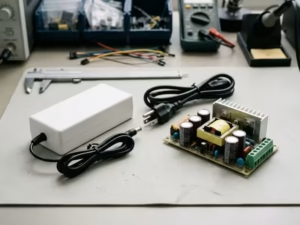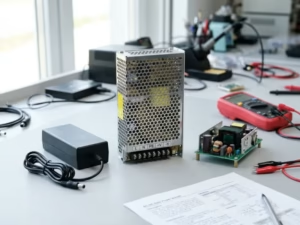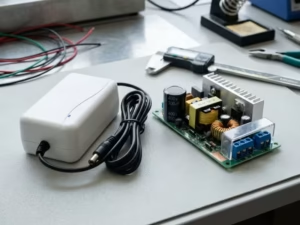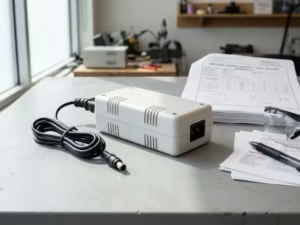
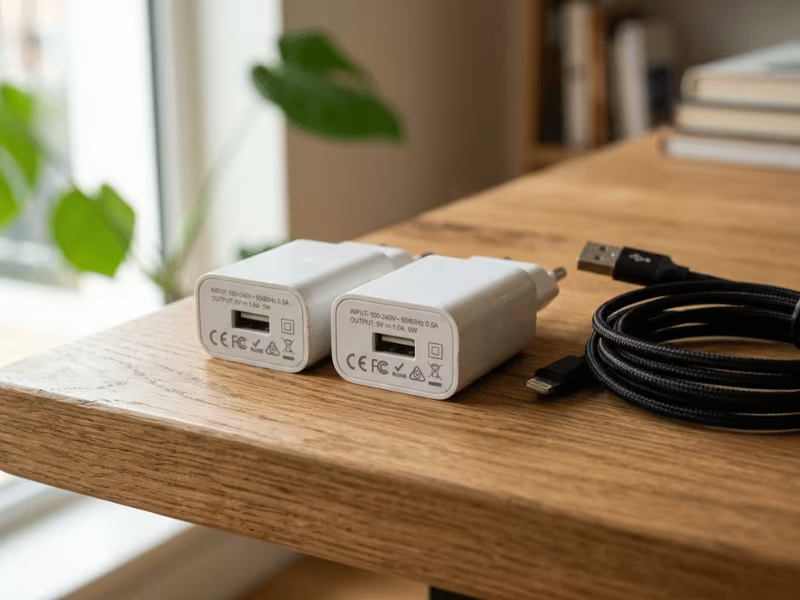
You dig through the drawer and find an old 5V charger. It fits your Raspberry Pi, so you plug it in. Or maybe you grab a spare adapter for your router. Or you power an Arduino with a phone brick you had lying around.
It looks right. The label says 5V. But sometimes the device runs slow, resets, or acts strange. Sometimes nothing happens at all.
The trap: a shared 5V label does not mean two adapters are interchangeable. A charger and a power supply can both say 5V and still behave very differently under load.
I have seen this cause dead boards, weak charging, and hours of confused troubleshooting.
This guide clears it up. You will learn how to judge compatibility, when swapping is safe, and how to pick the right one for your device.
Short Answer: They Share the Same Voltage, but Not the Same Job
Both a 5V charger and a 5V power supply can push out 5V DC. That part is true. But they are built for different jobs, and that difference matters.
A power supply exists to feed a live circuit. It holds a steady voltage while your device keeps drawing current.
A charger exists to fill a battery. It works with the device to manage current and often talks to it before delivering full power.
So voltage alone tells you almost nothing about compatibility. I have watched people swap two “5V” adapters and end up with a stalled charge or a board that keeps rebooting.
The real answer sits in four factors: voltage match, current capacity, negotiation, and power quality. We break those down next.
5V Power Supply | 5V Charger | |
|---|---|---|
Primary Purpose | Powers a running circuit | Charges a battery |
Output Behavior | Holds steady 5V under load | Adjusts current by charge stage |
Communication/Negotiation | Usually none | Often handshakes (USB, PD, QC) |
Best For | Routers, boards, LED loads | Phones, tablets, battery devices |
Risk When Misused | Slow or no charge | Voltage sag, resets, instability |
So a shared label is a starting point, not a green light.
Why People Confuse 5V Chargers and 5V Power Supplies
This mix-up isn’t your fault. Three things push people toward it, and each one seems reasonable at the time.
The Labels Don’t Agree With Each Other
Walk through any online listing and you’ll see the same product called three different names. One seller says “charger.” Another says “power adapter.” A third says “power supply.” Same brick, same 5V output, different word on the box.
Nobody polices this. So the label tells you what the seller decided to type, not what the device actually does.
They All Look the Same
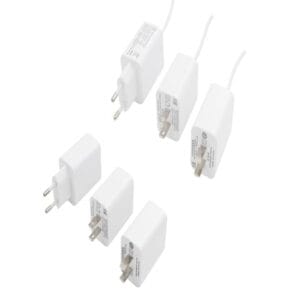
Pull five USB adapters out of a drawer and line them up. Good luck telling them apart. Same white plastic, same USB port, same tiny printed specs on the underside.
The important differences hide inside: regulation, protection, whether it negotiates power. You can’t see any of that. So people grab whatever fits and hope for the best.
“It Turned On, So It Must Be Fine”
This one traps even careful people. You plug in a random 5V adapter, the light comes on, the device boots. Case closed, right?
Not quite. Powering up and running reliably are two different things. A weak or noisy source can boot a board and still cause resets, slow charging, or damage over time.
That gap between “it works” and “it’s right” is exactly what the rest of this guide sorts out.
What Actually Determines Compatibility
Forget the label for a second. Whether two 5V adapters can swap comes down to four things I check every single time. Miss any one, and you get trouble.
Voltage Must Match, and It’s Stricter Than You Think
5V means 5V. Most 5V chips have a tight input window, often 4.75V to 5.25V. Step outside that and you risk brownouts on the low side or damage on the high side.
Here’s the part that trips people up: many quality adapters output 5.1V or 5.2V on purpose. That small bump isn’t a defect. It compensates for voltage drop across the cable and connector, so the device still sees close to 5V.
That’s fine. What’s not fine is guessing. Never grab a 9V or 12V adapter and hope the device sorts it out. It won’t. Read the printed output before you plug in.
Current Rating Must Cover the Load
The amperage on the label is a ceiling, not a push. A 5V 3A supply doesn’t force 3A into your device. The device pulls what it needs, up to that limit.
So a higher rating is almost always safe. A lower one is where things break.
Undercurrent looks like this:
I’ve watched people blame a “faulty” Raspberry Pi that was really starved by a 1A phone brick. Match the current to the load, then leave headroom.
Some Devices Won’t Take Just Any 5V
This is where chargers and supplies really split. Phones, tablets, and many USB-C gadgets don’t just gulp down whatever 5V shows up. They negotiate first.
The device and adapter talk through a protocol, USB BC, Power Delivery, or a brand’s fast-charge scheme, before full power flows.
No handshake, no fast charge. Plug a phone into a plain bench supply and it may crawl at 500mA or refuse to charge at all, even with plenty of current available. The power is there. The conversation isn’t. This is exactly why a proper USB PD charger matters for fast-charge devices, its whole job is to hold that conversation.
So for negotiating devices, the adapter’s smarts matter as much as its numbers.
Power Quality Decides the Long Game
Two adapters can both read 5V on a meter and behave completely differently under load. Cheap ones sag when current spikes and carry ripple, small ripples of noise riding on the DC.
Simple loads shrug this off. An LED strip doesn’t care. But microcontrollers, sensors, ADCs, and audio gear are picky. Ripple shows up as glitches, false readings, or hum.
Load transients matter too. When a board suddenly draws more, like a Wi-Fi radio firing up, a good supply holds voltage steady. A weak one dips, and the board resets.
This is why “it lit up” proves nothing. Booting is easy. Running clean and stable for months is the real test. A noisy source can power a device today and quietly stress it for weeks.
Your Compatibility Checklist
Run through these four before you trust any swap.
|
|---|
Get all four to line up and the swap is safe. If even one fails, you’re gambling with either performance or the device itself.
Can You Use a 5V Power Supply as a Charger?
Short version: often yes, but with conditions. A power supply that holds a clean, steady 5V can top up plenty of devices. The catch is what the device expects on the other end.
Usually Yes, If the Device Charges Itself
Most modern gadgets carry their own charge controller inside. Phones, tablets, and USB-powered devices all manage the battery on their own board.
They don’t need a smart brick. They just need a stable 5V source with enough current.
So a bench supply, a router adapter, or a spare 5V wall unit can feed the USB port and the device handles the rest. Plug it in, and the onboard controller decides how fast and when to stop.
That’s the friendly case. It covers a huge share of everyday charging.
But Don’t Expect Fast Charging
Here’s where a plain supply falls short. Fast charging needs a conversation.
The device and the adapter negotiate through a protocol, USB PD, Quick Charge, or a maker’s own scheme, before higher power flows. A standalone supply doesn’t speak those languages.
No handshake means the device drops to basic 5V mode. You get a trickle, often around 500mA to 1A, no matter how much current the supply can actually deliver.
The charge still works. It just crawls. If you plug in overnight, you’ll never notice. If you’re topping up before you run out the door, you will.
When You Shouldn’t Do It
Some cases push past “slow” into “risky.” I skip the shortcut whenever I hit one of these.
Bottom line: A 5V supply works fine as a stand-in charger for devices that manage their own batteries. Beyond that, look before you plug: check polarity, respect the maker’s charger, and never feed a bare cell directly.
Can You Use a 5V Charger as a Power Supply?
Sometimes, but I’m more careful here. A charger is built to fill a battery, not to hold a rock-steady rail for a live circuit. That difference bites you when the load gets picky.
For Simple Loads, Often Fine
If your load is dumb and forgiving, a spare phone charger works.
Think low-power LED strips, a small USB fan, or a basic gadget that just draws a steady sip of current. These parts don’t care about a little noise or a tiny voltage wobble.
Plug in, check the current rating covers the draw, and you’re good. I do this all the time for quick, low-stakes jobs.
For Sensitive Electronics, Be Wary
The story changes fast with smarter circuits.
Microcontrollers, sensors, ADCs, and audio gear all want clean, steady 5V. A charger often gives them something messier.
Chargers tend to have loose load regulation. Their voltage drifts as the draw shifts. They also carry more ripple, that fine layer of noise riding on the DC.
Here’s what that looks like in practice:
None of these throw an obvious error. They just make your project unreliable in ways that are painful to trace. For anything where clean, regulated output is non-negotiable, a purpose-built ITE power supply beats a repurposed charger every time.
The Real Trap: Startup Current and Voltage Sag
This is the part people miss, so I’ll spell it out.
Many circuits pull a big gulp of current the instant they wake up. A motor, a relay coil, a Wi-Fi radio firing its transmitter, all spike hard for a split second.
A good power supply braces for that spike and holds 5V. A charger often can’t. Its output sags under the sudden demand.
When the rail dips below the chip’s minimum, the device resets. Then it tries to start again, pulls another spike, sags again, and loops.
I’ve watched an Arduino run fine on a charger, right up until a servo moved. The moment that servo drew current, the board browned out and rebooted. The charger looked healthy. The load just asked for more than it could give in that instant.
That’s the whole lesson. “It powered up” and “it runs reliably” are two different things.
A charger passing the boot test tells you nothing about how it handles the next current spike. For anything with motors, relays, radios, or clean-signal needs, reach for a real power supply instead.
Best 5V Source for Common Devices
You’ve got the rules. Now let’s put them to work on the gear you actually own. Here’s how I match a 5V source to each common device, and where I’ve watched people slip up.
Device | Can use 5V charger? | Can use 5V power supply? | What to watch for | Best choice |
|---|---|---|---|---|
Smartphone | Yes | Yes | No handshake means slow charge; needs enough current | 5V charger (for fast charge) |
Raspberry Pi | Risky | Yes | Voltage sag under load triggers the low-voltage warning | Dedicated 5V power supply |
Arduino | For light loads | Yes | Motors, servos, relays cause brownout resets | 5V power supply |
LED strip | Yes | Yes | Current rating must cover the full strip draw | Either, sized to the load |
Router/modem | Risky | Yes | Barrel jack polarity and connector size must match | 5V power supply (matched plug) |
USB hub | For low loads only | Yes | Total port draw can outrun a weak adapter | 5V power supply with headroom |
Battery device (dedicated port) | Only the matched one | No | Custom charge profile; wrong source harms the cell | Manufacturer’s charger |
Raspberry Pi: The Sag Trap
The Pi is the most misunderstood device on this list. People grab a random phone charger, boot fine, and think they’re set.
Then the CPU ramps up or a USB drive spins, and the voltage sags. You get the yellow lightning bolt, throttling, or a silent crash.
The Pi doesn’t need a charger. It needs a supply that holds 5V under a sudden load spike. Give it a quality power supply rated well above its draw, and most “unstable Pi” problems vanish.
Arduino: Fine Until Something Moves
An Arduino sipping a few milliamps runs happily off almost any 5V source. That’s why so many people trust a charger here.
The trouble starts when you add hardware. A servo swings, a relay clicks, a motor kicks, and current spikes hard for an instant.
A charger often can’t brace for that spike. The rail dips, the board resets, and you chase a ghost bug for hours.
My rule: bare Arduino sketches can run on a charger. The moment you add motors, servos, or relays, switch to a proper power supply with real current headroom.
Battery Devices: Don’t Improvise
This is the one place I never freelance. Devices with a dedicated charging port, power tools, e-bikes, cameras, hedge trimmers, ship with a charger built around that exact cell chemistry.
The charger controls the current curve and the cutoff point. Swap in a generic 5V source and you strip away that logic.
Best case, it won’t charge. Worst case, you overheat the pack or shorten its life. Use the charger the maker gave you, and buy a genuine replacement if you lose it.
Quick Notes on the Rest
The pattern is simple. Devices that manage their own power forgive you. Devices with battery chemistry or big current spikes don’t. Match the source to that behavior, and you’ll dodge nearly every problem in this guide.
Common Mistakes That Cause Problems
I see the same five slip-ups over and over. Each one starts with a reasonable assumption and ends with a dead board or a maddening bug. Watch for these, and you’ll avoid most 5V headaches.
Get past these five, and you’ve dodged nearly every failure I see people run into.
How to Choose the Right One
By now you know a shared 5V label settles nothing. So let me make the call simple. Start with what you’re trying to do, then pick the source that fits.
Match the Source to Your Goal
Charging a phone or tablet? Reach for a proper charger. The device manages its own battery, so any clean 5V will trickle it, but only a charger that speaks the right protocol gives you fast charging. If speed matters, the handshake matters.
Powering a single-board computer or dev board? Use a regulated power supply, rated well above the board’s draw. A Raspberry Pi doesn’t want a charger. It wants a rail that holds 5V when the CPU ramps or a drive spins up. Headroom kills most “unstable board” bugs before they start.
Running an LED strip or a simple 5V load? Either source works. Here the only number that counts is current. Add up the full draw, then pick a source that clears it with room to spare. Undersize it and the far end of the strip goes dim.
Feeding a battery device with a dedicated port? Follow the maker. Power tools, e-bikes, and cameras ship with a charger built around that exact cell. Don’t improvise. If you lose it, buy the genuine replacement. For projects that need an unusual output, connector, or form factor, a custom power adapter beats forcing an off-the-shelf brick to do a job it wasn’t built for.
A Quick Checklist Before You Plug In
Run these four in order. If one fails, stop.
Check | What to confirm |
|---|---|
Voltage | Printed output reads 5V (5.1V–5.2V is fine) |
Current | Rating meets or beats the device draw, with headroom |
Negotiation | Device gets fast charging only from a matching charger |
Polarity | Barrel jack symbol matches before power goes in |
The pattern holds across every device. Batteries want chargers. Live circuits want supplies. Simple loads want current. Get that right, and the guesswork disappears.
FAQs
A few questions come up again and again. Here are the quick, honest answers.
The Bottom Line
Two adapters can both print 5V and still ruin your day. The label is where you start looking, not where you stop.
So keep the real test in your head: match the voltage, cover the current, respect the handshake, and mind the power quality. Nail all four and the swap is safe. Miss one and you’re gambling with either performance or the hardware itself.
Here’s my honest advice when you’re stuck. Batteries want chargers. Live circuits