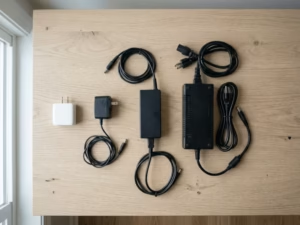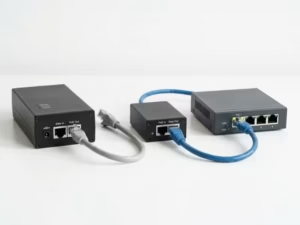
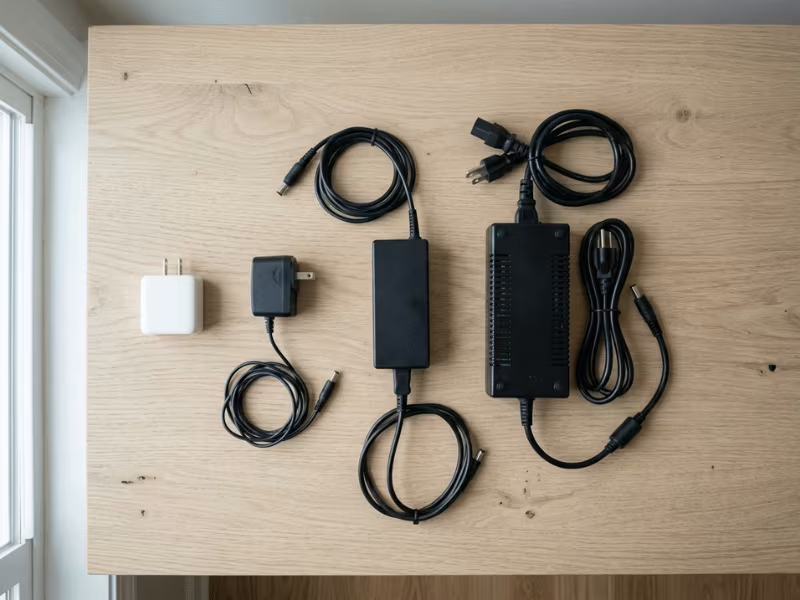
Open almost any drawer at home or at work, and you’ll probably find a tangle of black bricks, wall plugs, and cords, each one powering a different device. Most people plug them in without a second thought. But maybe you’ve wondered what that box on your laptop cord actually does. Or maybe you grabbed the wrong adapter and ended up with a device that won’t charge. If so, this guide is for you.
External power supplies have one core job: they take electricity from your wall outlet and turn it into a form your device can safely use. By the end of this article, you’ll know how that conversion works, how to read the small print on an adapter label, and what to check when you need to choose or replace one.
What Is an External Power Supply?
Think of an external power supply as a translator. Your wall outlet speaks one language: high-voltage alternating current (AC). Your electronics speak another: low-voltage direct current (DC). The adapter bridges the gap.
A standard US outlet delivers around 120 volts of AC power. A phone typically charges at 5 to 9 volts DC, and sometimes higher with fast charging. Many laptops need around 20 volts DC. Connect either device directly to mains voltage without proper conversion, and you’d risk serious damage to its circuits. The adapter steps the voltage down, converts it from AC to DC, and delivers it in a stable, controlled form.
The word “external” simply means the power supply sits outside the device, usually as a separate box or brick. That distinction matters, because not all power supplies work this way.
External vs. Internal Power Supplies
Desktop PCs usually have their power supply built inside the chassis. You can hear the fan, and you can see the power cable plugging directly into the back of the tower. That’s an internal power supply. It handles the conversion inside the device.
Laptops, routers, and monitors often use external bricks instead. The reasons are practical:
- Less heat inside the device. Moving the conversion hardware outside keeps heat away from sensitive internal components.
- Thinner, lighter products. Manufacturers can design slimmer devices when the bulky power stage lives elsewhere.
- Simpler global certification. One adapter platform can be certified for multiple markets, with only the plug or cord changed.
- Easier replacement. When an adapter fails, you replace the brick, not the entire device.
Some compact desktops and all-in-one PCs also use external bricks that look similar to laptop chargers. So the line isn’t always obvious. The defining feature is location: if the power supply sits outside the main device enclosure, it’s external.
Types You Probably Already Own
External power supplies come in several forms, and you likely own examples of most of them:
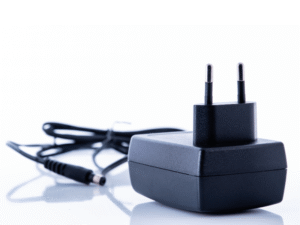
- Wall-plug adapters (“wall warts”): These plug directly into the outlet and have a short output cable. Routers, smart speakers, and LED strip controllers commonly use them.
- USB chargers (USB-A and USB-C): Compact blocks with USB ports, used for phones, tablets, earbuds, and more.
- Laptop bricks: The classic inline box with an AC cord on one side and a thinner DC cable on the other, ending in a barrel connector or USB-C plug.
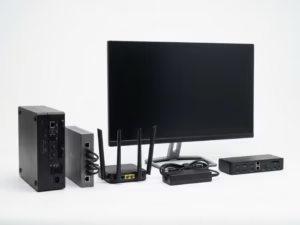
- Desktop-style bricks: Larger rectangular units used by monitors, mini PCs, some gaming consoles, and external drive enclosures.
Each type converts AC to DC. They differ in size, output voltage, and wattage, but the underlying process is broadly the same.
How an External Power Supply Works, Step by Step
Most modern adapters are switch-mode power supplies, or SMPS. The name refers to a key step inside: a transistor that switches on and off very rapidly to control how energy moves through the circuit.
Real designs vary by power level, topology, and target market. Some higher-power adapters also include extra stages, such as power factor correction (PFC). But in simplified terms, most modern external adapters follow a process like this:
Wall AC → Filter & rectify → Switch & transform → Rectify, smooth & regulate → Clean DC out
Each stage hands off to the next. Here’s what happens along the way.
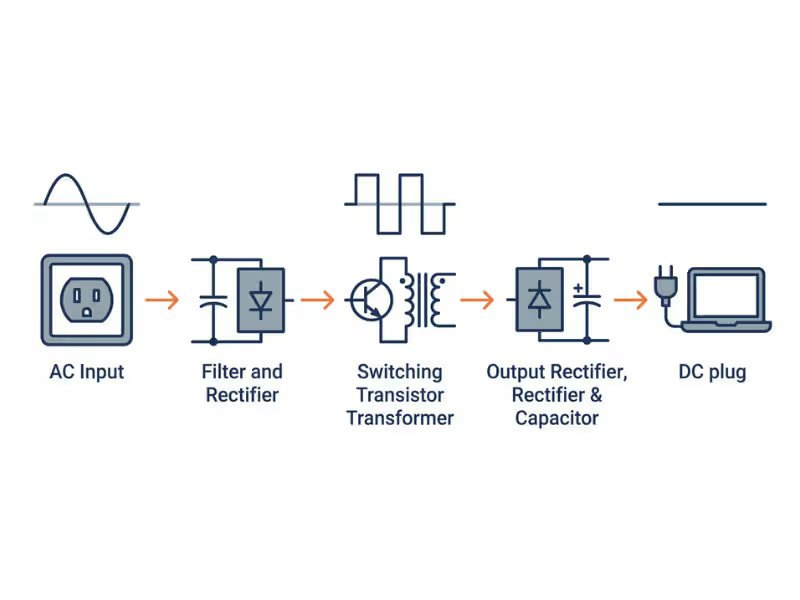
Stage 1: Filtering and Rectifying the AC Input
Think of AC power as a tide. It flows one way, then reverses, completing 60 full cycles every second in the US. DC power, by contrast, flows like a river: always in one direction. Your device needs river power, not tide power. The adapter’s first task is to start that conversion.
Before AC reaches the conversion circuitry, it typically passes through an input filter. This filter helps keep electrical noise generated by the adapter from leaking back into your building wiring. It also reduces outside interference that could disrupt the adapter. It’s a quiet, invisible step, but it helps your other electronics work without picking up interference.
Next comes the rectifier, usually a bridge rectifier made of four diodes. Diodes act as one-way gates for electricity. Arranged in a bridge, they flip the “backward” half of the AC wave so current always flows in the same direction. The output is still rough and pulsing, so a large capacitor smooths it into a high-voltage DC bus, typically around 170VDC from a 120VAC input.
That voltage is still far too high for any consumer device. The next stage handles the step-down.
Stage 2: Switching and Transforming the Voltage
This step is what makes modern chargers so compact. A transistor, controlled by a dedicated chip, switches the high-voltage DC on and off tens of thousands of times per second. That rapid switching creates a high-frequency signal a transformer can work with efficiently.
Transformers step voltage up or down, and their required size depends heavily on frequency. At the 50 or 60 Hz frequency from your wall, a transformer must be large and heavy to do useful work. At 50,000 Hz or higher, it can be dramatically smaller. That’s a big reason a 65W laptop charger today fits in your palm, while older linear adapters at similar power levels were noticeably bulkier and heavier.
The transformer also plays an important safety role. It physically separates the high-voltage input side from the low-voltage output side, so there’s no direct electrical connection between them. This galvanic isolation is a key part of the adapter’s safety design, working alongside insulation, spacing, protective components, and safety testing to reduce the risk of mains voltage reaching the parts you touch.
One more development is worth knowing about. A newer semiconductor material called gallium nitride (GaN) allows switching transistors to operate faster and with lower losses than many traditional silicon parts. That’s why GaN chargers are often smaller and run cooler than older adapters at the same wattage.
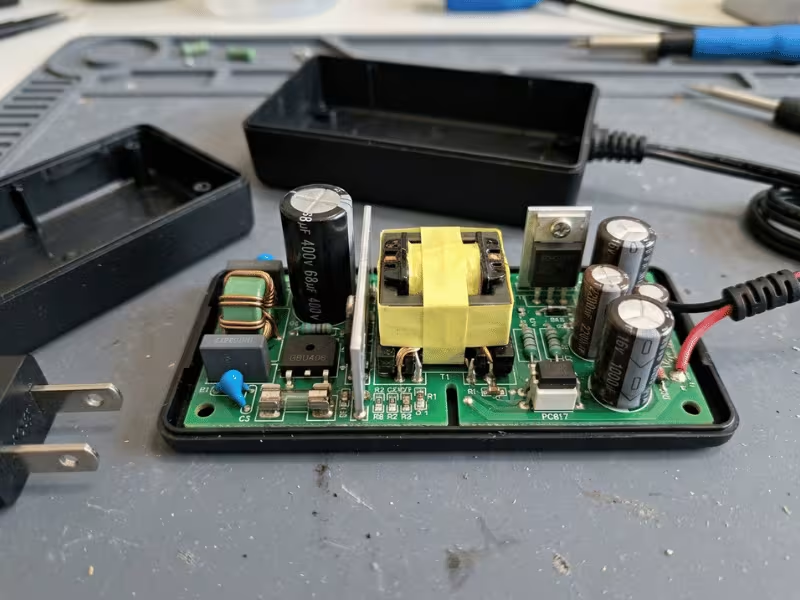
Stage 3: Rectifying, Smoothing, and Regulating the Output
On its output side, the transformer delivers a stepped-down, high-frequency AC signal. That signal is rectified and smoothed again, similar to Stage 1 but now at low voltage. Output capacitors filter out ripple until the voltage is as flat and clean as the design requires.
Clean voltage alone isn’t enough, though. When a laptop starts charging a depleted battery, it draws more current. When the battery is nearly full, it draws less. Without regulation, those changing loads would cause the output voltage to sag or rise.
A feedback circuit solves this. It continuously monitors the output voltage and signals the switching controller to adjust its timing. In many adapters, the component that carries this signal across the isolation barrier is an optocoupler: a tiny LED and light sensor that pass information using light, so the isolation stays intact.
Think of it like cruise control. The system watches your speed and adjusts the throttle to hold it steady, whether you’re on a flat road or climbing a hill.
The result is regulated DC, held within the voltage range your device expects across its normal operating load. For buyers and designers, this matters in a practical way. Output stability and low ripple directly affect how reliably the end device performs, especially in sensitive electronics.
Smart Chargers: How USB-C Power Delivery Negotiates Power
Traditional adapters deliver a fixed voltage. Plug in the device, and it receives 19.5V, for example, every time. Modern USB-C chargers with Power Delivery (PD) work differently. They’re adaptive.
When you connect a USB-C PD charger to a compatible device, the two communicate before higher power flows. The charger starts at a safe default of 5V. It then advertises the voltage and current levels it can supply. The device requests the level it needs, perhaps 9V, 15V, or 20V. The charger confirms, and only then does it switch to the requested level.
This negotiation is why a single USB-C charger can power a phone, a tablet, and a laptop, provided the charger supports the required PD profiles and wattage for each device. Each device asks for what it needs, and the charger responds within its capabilities. With Extended Power Range (EPR), the USB PD standard now supports up to 240W at 48V, covering everything from earbuds to many high-performance laptops. Our USB PD Chargers cover a range of power levels for these kinds of multi-device applications.
There are a few caveats worth knowing:
- The cable matters. Delivering more than 60W (above 3A) requires a 5A-rated, electronically marked (e-marked) cable. EPR levels above 100W require an EPR-rated cable. With a standard cable, power is capped at 60W even if the charger and device could handle more.
- Not every USB-C port supports PD. Some USB-C devices and chargers use simpler charging methods with limited compatibility.
- Implementation varies. Different manufacturers support different voltage profiles, and some devices also use Programmable Power Supply (PPS) for finer voltage control.
If a high-wattage charger seems slower than expected, the cable or a missing PD profile is often the reason.
How to Read an External Power Supply Label
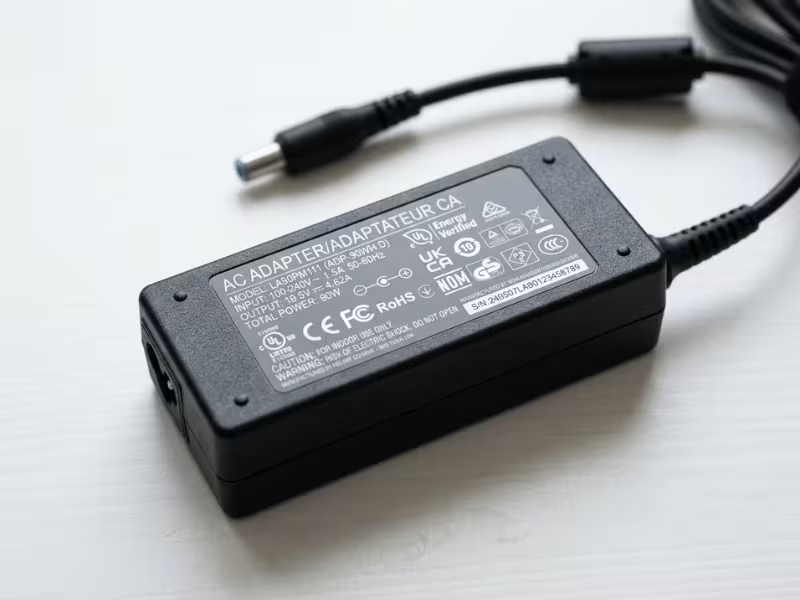
Every adapter carries a label with its key electrical specifications. Most people never look at it. Once you know what the numbers mean, though, it becomes a straightforward guide to compatibility.
Here’s a typical laptop adapter label:
Input: 100–240V ~ 1.5A 50/60Hz
Output: 19.5V ⎓ 3.33A 65W
Let’s decode each part.
Input: 100–240V ~ 1.5A 50/60Hz
- 100–240V is the input voltage range. This adapter accepts grid voltages used in most countries, from 120V in the US to 230V in Europe. When traveling, you only need a plug-shape adapter, not a separate voltage converter.
- ~ is the symbol for alternating current (AC). It confirms this side connects to the wall.
- 1.5A is the maximum current the adapter draws from the wall, usually at the lowest input voltage and full load.
- 50/60Hz means it works with both 60Hz grids (such as the US) and 50Hz grids (common in many other regions).
Output: 19.5V ⎓ 3.33A 65W
- 19.5V is the DC voltage delivered to your device. This must match your device’s rated input voltage.
- ⎓ is the symbol for direct current (DC).
- 3.33A is the maximum current the adapter can supply. Your device draws only what it needs, up to this limit.
- 65W is the power rating. Watts = volts × amps, so 19.5 × 3.33 ≈ 65W.
Polarity Symbol
Barrel-jack adapters also show a small polarity diagram: two concentric circles connected by lines, with a + and − sign. If the + connects to the inner circle (the center of the barrel), the adapter is center-positive. Most barrel-jack devices are center-positive, but not all. Connecting a center-negative device to a center-positive adapter can damage it, so always verify before plugging in.
Certification Marks
Certification marks tell you which standards an adapter has been evaluated against. A few common examples:
- UL or ETL listing: Indicates the product was tested for safety by a recognized lab for the North American market.
- CE marking: Indicates the manufacturer declares conformity with applicable European requirements. It’s a declaration system, not a third-party listing mark like UL.
- FCC: Relates to electromagnetic interference limits in the US.
- Level VI (shown as the Roman numeral “VI”): Refers to the US Department of Energy efficiency standard. Level VI adapters must meet minimum active-mode efficiency and are designed to minimize no-load power consumption to very low levels.
Keep in mind that safety, EMC, and efficiency are separate compliance areas, and requirements vary by market and application. An adapter approved for consumer electronics in one region isn’t automatically suitable for another region or another use. Safety-critical equipment, for example, faces much stricter rules. Devices used in patient care typically require Medical Power Supplies certified to IEC 60601-1, with tighter limits on leakage current and stronger isolation, such as 2xMOPP. When in doubt, check that an adapter is certified for both the target market and the intended application.
What Can an External Power Supply Power?
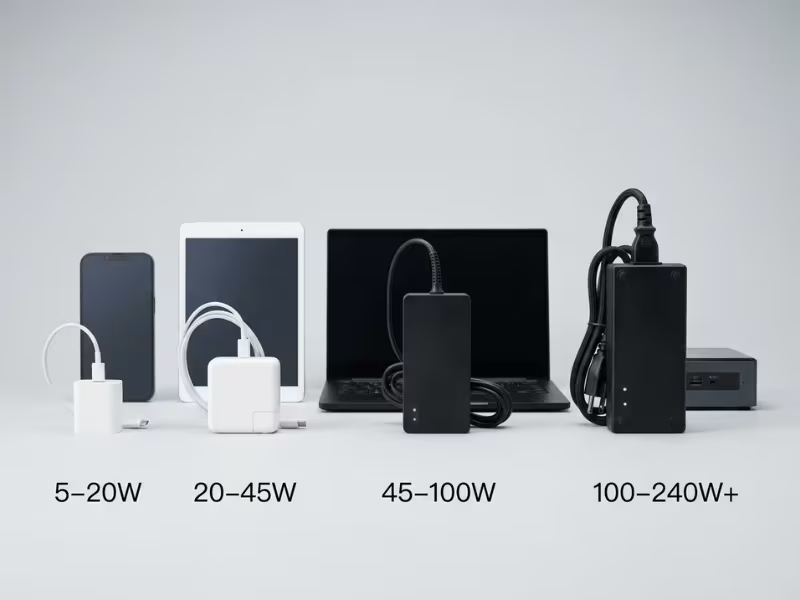
External power supplies are best suited to low- and medium-power electronics designed to run on DC input. That covers a huge range of everyday and professional equipment. Here’s a practical breakdown by wattage tier:
Power Range | Typical Devices |
|---|---|
5–20W | Smartphones, earbuds, smartwatches, e-readers, small Bluetooth speakers |
20–45W | Tablets, handheld game consoles, fast phone charging, some ultrabooks (at reduced charging speed) |
45–100W | Most laptops, portable monitors, USB-C hubs with passthrough charging |
100–240W+ | Gaming laptops, mini PCs, larger monitors, some gaming consoles |
Many devices with barrel connectors, such as routers, LED controllers, external hard drives, and music gear, run on fixed voltages. Common values include 5V, 9V, 12V, and 24V DC. These use adapters with no negotiation, just a fixed output matched to the device.
Treat these tiers as a starting point, not a rulebook. Always check your device’s rated input before buying a replacement adapter. It’s usually printed on a label near the power port or listed in the manual.
How to Choose the Right External Power Supply
Understanding how adapters work is useful. Knowing how to pick the right one is practical. Here’s how to handle the most common situations.
Replacing a Lost or Broken Adapter
For barrel-jack replacements, follow three rules:
- Match the voltage. If your device requires 12V, choose a 12V adapter. Too low, and the device may not run or may behave erratically. Too high, and you risk overheating or permanently damaging the device.
- Meet or exceed the current rating. A 3A adapter can safely power a device rated for 2A, as long as voltage, polarity, and connector also match. The device draws what it needs, and the extra capacity means the adapter isn’t working at its limit. Going the other way, such as a 1A adapter on a 2A device, risks overloading the adapter.
- Match the connector size and polarity. Barrel connectors look similar but come in many sizes. Two of the most common, 5.5 × 2.1mm and 5.5 × 2.5mm, look nearly identical but won’t seat securely in the wrong port. Check the device documentation or measure the original plug.
For USB-C replacements, match the charger’s wattage to your device’s maximum input. Also confirm the charger supports USB Power Delivery if your device requires it.
Choosing a USB-C Charger for Multiple Devices
If you want one charger for a phone, tablet, and laptop, size it for your most power-hungry device and leave some headroom. A laptop that needs 65W should get a 65W or higher charger. A 45W model may charge slowly or fail to keep up under heavy load.
Multi-port chargers add a wrinkle: they share their total wattage across ports. A charger rated at 100W total might split into 65W on one port and 35W on another when both are in use. The exact split depends on the model and which ports are active. Check the per-port breakdown before buying. It’s usually listed in the product specs or printed on the charger.
Efficiency, Build Quality, and Brand vs. Third-Party
Adapter efficiency measures how much of the power drawn from the wall actually reaches your device. The rest becomes heat. A Level VI adapter converts power efficiently and tends to run cooler as a result.
Reputable third-party brands can offer real quality at lower prices. However, counterfeit and substandard adapters are common, especially on large online marketplaces. Watch for these red flags:
- Unusually light weight, which can suggest missing internal components
- Misspelled brand names or logos that look slightly off
- Missing or questionable certification marks
- Prices far below comparable genuine products
A trusted third-party adapter with verifiable UL or ETL certification is a reasonable choice. An uncertified adapter with no traceable brand is not, regardless of price.
When an Off-the-Shelf Adapter Isn’t Enough
For product designers and OEMs, choosing an adapter goes beyond matching voltage and current. You may need a specific connector, cable length, output tolerance, enclosure style, or certification package for your target markets. In those cases, Custom Power Adapters let you match the power supply to the device, rather than designing the device around a generic adapter.
Are External Power Supplies Safe?
Certified adapters used as intended are generally very safe. Most problems trace back to physical damage, counterfeit products, or poor ventilation. An adapter that meets recognized safety standards includes multiple layers of protection.
Built-In Protections Worth Knowing
Well-designed adapters typically include several automatic safeguards:
- Over-voltage protection: Shuts down or limits the output if voltage rises above a safe threshold.
- Over-current protection: Limits or cuts power if a device tries to draw more current than the adapter is rated for.
- Short-circuit protection: Shuts off output quickly if the output is shorted, for example by a damaged cable.
- Over-temperature protection: Reduces output or shuts down if internal temperature exceeds safe limits.
The transformer isolation described in Stage 2 is also a fundamental safety feature. It separates the mains side of the circuit from the low-voltage output you handle every day.
Common Myths, Debunked
Myth: A higher-amp adapter will damage my device.
Fact: Devices control how much current they draw. A 3A adapter connected to a 1A device supplies about 1A, not 3A, provided the voltage matches. The current rating is a ceiling, not a forced output.
Myth: Any USB-C charger works with any USB-C laptop.
Fact: Not all USB-C chargers support Power Delivery, and those that do may not supply enough wattage. A 30W charger on a laptop that needs 65W may charge very slowly, or not at all, while the laptop is in use.
Myth: Leaving adapters plugged in wastes a lot of electricity.
Fact: Modern Level VI adapters are designed to minimize no-load power consumption to very low levels. For a single adapter, the yearly cost is usually small. Across a home or facility with dozens of adapters, though, idle draw adds up, so efficiency still matters. Unplugging is always an option if you prefer it.
Myth: A warm adapter is about to fail.
Fact: Some warmth is normal. It’s a byproduct of conversion losses. An adapter that’s too hot to hold comfortably, buzzes or whines, smells like burning plastic, or shows discoloration is a different story. Those are signs something is wrong.
Care Tips and Signs It’s Time to Replace Yours
A few simple habits can extend adapter life significantly:
- Don’t wrap the cord tightly around the brick. Sharp bends near the connector stress the internal wires.
- Unplug by gripping the plug, not the cable.
- Keep the adapter on a hard, flat surface while in use. Beds and sofas trap heat.
- Avoid storing adapters in very hot places, such as a car glove compartment in summer. Sustained heat ages internal capacitors.
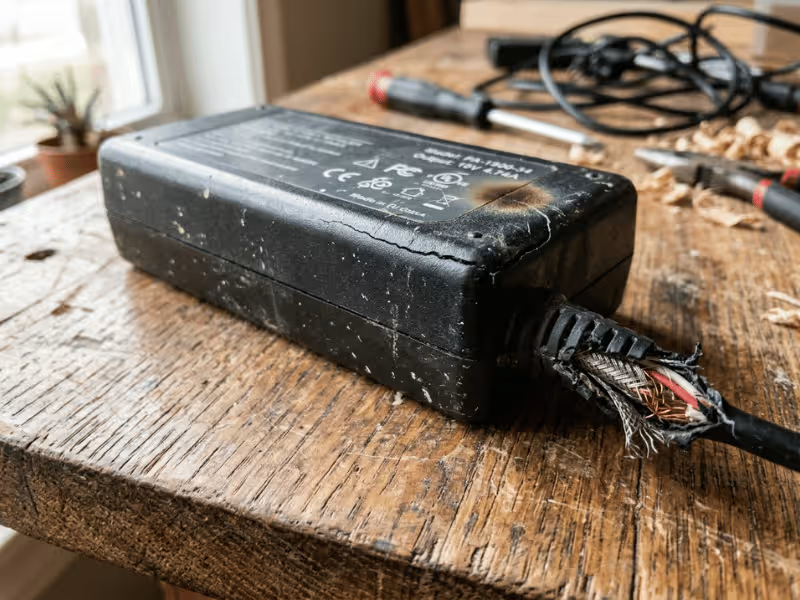
Replace your adapter if you notice any of these:
- Frayed, kinked, or exposed wiring anywhere along the cable
- A swollen, cracked, or discolored casing
- Intermittent charging that stops and starts without explanation
- A new buzzing or high-pitched whine
- Any burning smell or scorch marks
Capacitors, the components that smooth voltage in the conversion process, gradually degrade with heat and age. An adapter that has seen years of heat exposure and daily use may become less stable even without visible damage. If an older adapter starts showing any of the symptoms above, replacement is the sensible call.
Making Sense of the Box on Your Cord
That black brick does a lot of quiet, precise work every time you plug it in. It filters incoming power, converts AC to DC, steps a high-voltage DC bus down to the level your device needs, and holds that output steady as the load changes.
Reading the label is now straightforward. Input voltage tells you where it works. Output voltage must match your device. Current rating tells you the ceiling. Certification marks tell you which standards it meets, for which market.
If you remember only one rule, make it this: voltage must match, connector and polarity must match, and verified certification matters more than price.
Before you buy a replacement, run through this quick checklist:
- ✅ Output voltage matches the device’s rated input
- ✅ Output current meets or exceeds the device’s requirement
- ✅ Connector size and polarity match the original
- ✅ Recognized safety certification is present and suits your market and application
Get those four right, and you’ll have a safe, compatible adapter.
If you’re sourcing power supplies for a product rather than replacing a single charger, the stakes are higher. Output tolerance, connector design, efficiency, and certification for each target market all shape long-term reliability and time to market. Quankang has designed and manufactured power supplies since 1989, from medical-grade adapters to USB PD chargers and fully customized solutions. Tell us your voltage, power, connector, and certification requirements, and our engineering team will help you find or build the right fit, with samples and certification documents available before you place an order.