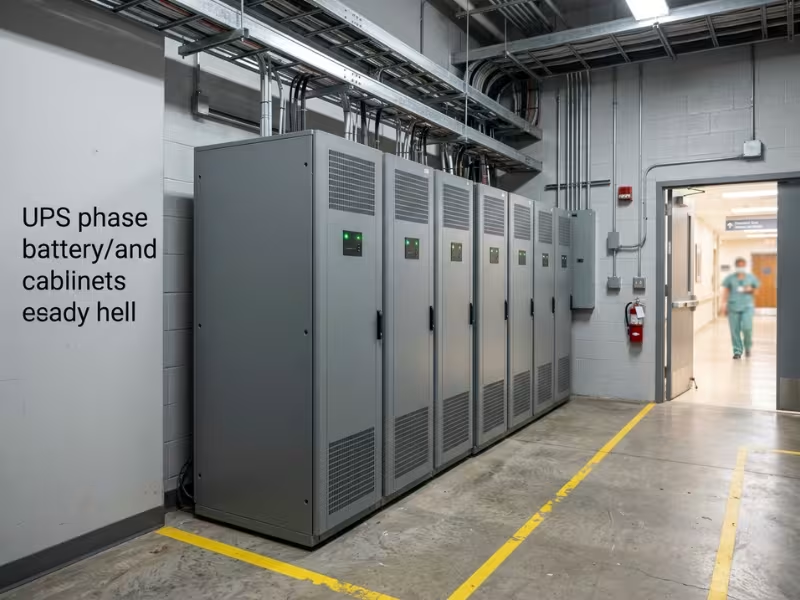
An uninterruptible power supply for healthcare is a battery-backed power system. It keeps medical equipment, clinical IT, and critical building systems running without interruption when utility power fails or degrades. It protects the systems that cannot tolerate a blink: imaging consoles, lab analyzers, EHR servers, network switches, and the displays surgeons watch mid-procedure.
Think of it as a bridge. When utility power drops, a hospital’s emergency generator can take up to 10 seconds to pick up the load. The UPS carries everything across that gap. It also filters out power problems that a generator cannot fix and sometimes creates.
This guide covers how a healthcare UPS works, which type to use, how it differs from a commercial UPS, where you need one, how to size it, and what compliance requires.
What Is a Healthcare UPS?
A UPS stores energy in batteries and delivers it the instant input power fails. In the best designs, there is no switchover at all, because the equipment always runs from the UPS output. In a healthcare setting, “uninterruptible” has a precise meaning. The protected equipment should never see the power source change.
A UPS and a generator are not alternatives. A generator provides hours or days of backup, but it needs seconds to start and transfer. A UPS provides minutes of backup with zero delay. Hospitals need both: the UPS for speed, the generator for duration.
Healthcare UPS systems fall into two categories:
Healthcare UPS does not mean a special battery. It means a UPS chosen for where it sits and what it protects. That distinction drives almost every specification decision later in this guide.
Why Do Healthcare Facilities Need a UPS If They Have a Generator?
This is the question most facility teams ask first, and the answer is timing.
Under NFPA 110, a Level 1 emergency power system has up to 10 seconds to restore power to the life safety and critical branches. That standard was written to keep lights, alarms, and life support circuits going. Electronics work on a different clock. Most computer power supplies ride through only 10 to 20 milliseconds of lost power. Ten seconds is roughly 500 times longer than they can survive.
Here is what happens in that window without a UPS:
Outages are only part of the problem. Generator power is often rougher than utility power, with voltage sags during load steps, frequency drift, and harmonic distortion. Sensitive imaging and lab electronics can fault on that power even though nothing ever went dark. There’s also the case nobody plans for: the generator fails to start. Then UPS runtime is the only thing standing between your servers and a hard crash, and it gives staff time for a controlled shutdown.
How Does a Healthcare UPS Work?
The simplest way to picture a healthcare UPS is as a buffer between the power source and the equipment. The source can change from utility to battery to generator and back. The equipment keeps getting the same clean output throughout.
Here’s what a typical outage looks like with an online double-conversion UPS:
- Normal operation. The UPS converts incoming utility AC power to DC, then back to clean, regulated AC. The same DC stage keeps the batteries charged.
- 0 ms: Utility power fails. The batteries are already connected to the DC stage, so they take over instantly. The load sees no transfer at all.
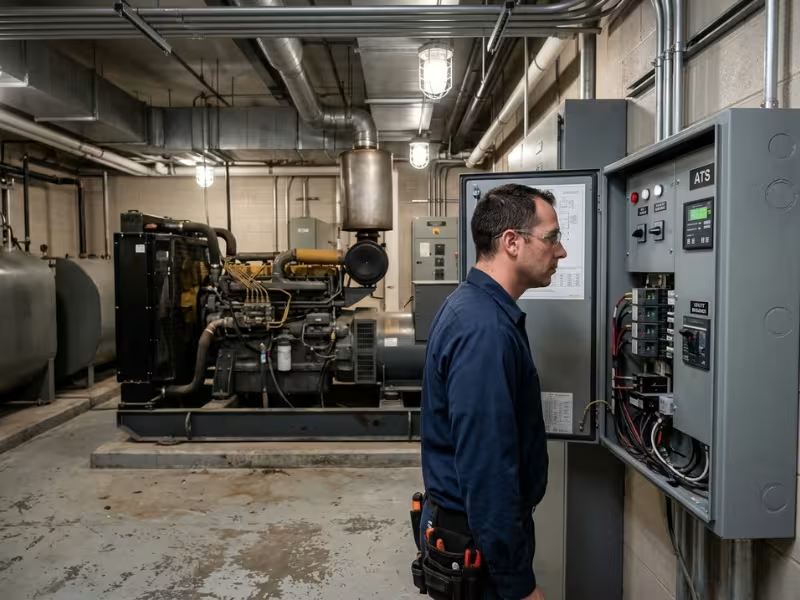
- 0 to 10 seconds: The generator starts. The automatic transfer switch (ATS) moves the building’s essential electrical system to generator power. The UPS carries its load on battery the entire time.
- Generator power arrives. The UPS accepts generator input, conditions it, and starts recharging the batteries. The equipment still sees clean, stable power.
- Utility returns. The ATS retransfers the building back to utility power. The UPS absorbs that second switchover the same way it absorbed the first.
UPS units also have a bypass mode. If the UPS develops an internal fault or is overloaded, a static bypass switch routes input power directly to the load, so equipment stays powered while the UPS is out of service. Make sure you understand bypass, because a UPS running in bypass is providing no protection, and nobody notices unless the alarm reaches someone.

Key Components of a Healthcare UPS System
Each component handles a specific failure point. Here’s what to look for:
- Rectifier/charger: Converts incoming AC to DC to feed the inverter and charge the batteries. A robust rectifier tolerates the wide voltage and frequency swings of generator power.
- Battery system: Either valve-regulated lead-acid (VRLA), with a typical 3 to 5 year service life, or lithium-ion, with a typical 8 to 15 year service life, a smaller footprint, and a higher upfront cost.
- Inverter: Converts DC back into clean, regulated AC. It is the reason imaging and lab equipment never see generator power quality problems.
- Static bypass switch: Automatically transfers the load to input power if the UPS faults, so a UPS failure never becomes an equipment failure.
- Maintenance bypass: Lets technicians service or replace the UPS without shutting down the load. For a UPS supporting a 24/7 imaging suite, this is not optional.
- Isolation transformer: Common in medical-grade units. It reduces leakage current and electrical noise, both of which matter in the patient environment.
- Monitoring interface: A network management card with SNMP support, email alerts, and building management system (BMS) integration.
Batteries are the component most likely to fail, so they get their own maintenance discussion below.
Online vs. Line-Interactive vs. Standby UPS: Which Suits Healthcare?
The three UPS topologies differ in one main way: how much separation they put between the power source and the load.
Parameter | Standby (Offline) | Line-Interactive | Online Double-Conversion |
|---|---|---|---|
Transfer time | Typically 2–10 ms | Typically 2–4 ms | 0 ms (no transfer) |
Voltage regulation | None until it switches to battery | Corrects moderate sags and swells | Fully regenerates output |
Frequency correction | No | No | Yes |
Protection from generator power quality | Poor | Partial | Full |
Efficiency | Highest | High | Lower, though eco modes narrow the gap |
Typical healthcare use | Front office desktops | Nurse stations, small clinics, network edge | Imaging, labs, data centers, OR systems, patient-area equipment |
The decision rule is simple. Use online double-conversion for clinical loads and critical IT. It’s the only topology that handles both outages and generator power quality, which is the whole reason a healthcare UPS exists. Line-interactive works well for administrative workstations, small network closets, and front desks. Standby units rarely belong anywhere near clinical equipment.
Be careful with eco mode. Many online units offer high-efficiency modes that pass utility power straight through and only engage the inverter when a problem appears. In that mode, the unit behaves like a line-interactive UPS. That efficiency gain can be worth it for some IT loads, but confirm the operating mode on every UPS that supports clinical equipment. Eco mode is often enabled by default.
How Is a Healthcare UPS Different From a Commercial UPS?
The differences are mostly about patient safety and documentation, not battery chemistry.
Requirement | Standard Commercial UPS | Healthcare / Medical-Grade UPS |
|---|---|---|
Leakage current | Not designed to medical limits | Low leakage to meet IEC 60601-1 limits in the patient environment |
Safety certification | UL 1778 / IEC 62040 | UL 1778 / IEC 62040, plus IEC 60601-1 or ANSI/AAMI ES60601-1 for patient-area use |
Isolation | Usually none | Often includes an isolation transformer |
Topology | Any | Online double-conversion is the norm for clinical loads |
Redundancy | Optional | N+1 or 2N common for critical systems |
Monitoring and records | Basic alarms | Network monitoring, event logs, test records for inspections |
Enclosure | Standard | Cleanable with hospital disinfectants and suitable for cart mounting |
Location determines the requirement. US codes define the patient care vicinity as about 6 feet (1.83 m) horizontally from the patient bed and 7.5 feet (2.29 m) above the floor. A UPS inside that space needs to meet medical electrical safety requirements. A UPS in the server room down the hall does not. You don’t need medical-grade units everywhere. You need them in the right places.
A common, avoidable mistake is an office-grade UPS mounted on a workstation-on-wheels in a patient room. The UPS adds its own leakage current to the leakage from the computer, monitor, and scanner it powers. Each device might pass on its own. Combined, they can exceed the safe limit for the patient environment. Biomedical teams often find this during electrical safety testing, after the carts are already in service.

Which Medical Devices and Clinical Areas Need UPS Protection?
Here’s a rule of thumb. Protect anything that loses data, aborts a procedure, or takes minutes to restart after a power blip.
Area / System | What the UPS Protects | Why a Few Seconds Matters |
|---|---|---|
Imaging (CT, MRI, X-ray, cath lab) | Control consoles, reconstruction computers, gantry electronics | Aborted scans, repeat dose, long reboots |
Operating rooms | Surgical displays, video towers, integration systems | Loss of visualization during a procedure |
ICU and telemetry | Central monitoring stations, telemetry servers, nurse call | Gaps in alarm visibility |
Clinical laboratory | Analyzers, LIS servers, refrigeration controllers | Lost runs, recalibration, delayed results |
Pharmacy | Automated dispensing cabinets, medication refrigeration controllers | Dispensing interruptions, temperature-log gaps |
Data center and network closets | EHR, PACS, core and edge switches, Wi-Fi controllers | Facility-wide loss of records and communication |
Outpatient clinics and dental offices | Imaging, sterilizer controls, practice management systems | Often no generator, so the UPS is the only backup |
One misconception is worth correcting. Many bedside devices already have internal batteries, including ventilators, infusion pumps, and transport monitors. They usually ride through outages fine. The larger exposure is the infrastructure behind them. If the central monitoring server or the network switch carrying telemetry reboots, the bedside monitor keeps working, but nobody at the nurse station sees its alarms.
Outpatient sites need a different plan. A clinic without a generator isn’t bridging 10 seconds. It needs enough runtime to finish a procedure, save data, and shut down cleanly, which often means 15 to 30 minutes or more.

How to Choose a Healthcare UPS: Capacity, Runtime, and Redundancy
Most healthcare UPS problems come from specification mistakes, not hardware failures. Work through these five steps:
- Calculate the real load in watts.
Use measured data or nameplate ratings for everything the UPS will support. Watch the VA vs. W distinction. VA is apparent power, while W is real power. A 3 kVA UPS with a 0.8 power factor delivers only 2.4 kW. Buying on VA alone is the most common way facilities undersize a UPS. - Add 20–25% headroom.
This covers equipment you’ll add later. It also keeps the UPS from running near its limit, where a small load step can trip it into bypass. - Set the runtime target by role.
- Choose the redundancy level.NOne UPS sized for the load. This fits non-critical areas.N+1One extra module or unit, so a single failure doesn’t drop the load. This is the right choice for most clinical and IT loads.2NTwo fully independent systems, each able to carry the entire load. Use it for data centers and the most critical imaging or OR infrastructure.
- Match the form factor to the location.
Options include tower, rack-mount, cart-mounted, and centralized three-phase systems. Before choosing, confirm whether the location falls inside the patient environment.
An imaging control room has a measured load of 2.4 kW. Add 25% headroom to get 3.0 kW. Specify a UPS rated for at least 3 kW, not 3 kVA. A 3 kVA unit at a 0.8 power factor would leave you with zero headroom on day one. Choose online double-conversion, plan for about 10 minutes of runtime at full load, and add N+1 redundancy if the scanner schedule can’t absorb unplanned downtime.
Maintenance, Monitoring, and Compliance Requirements
Batteries are the weak point. VRLA batteries typically need replacement every 3 to 5 years, and lithium-ion every 8 to 15 years. Heat matters more than age. A common rule of thumb is that every 8°C (about 15°F) above 25°C (77°F) roughly halves VRLA service life. A UPS in a hot electrical closet can fail its runtime test in year two.
A practical maintenance baseline includes:
- Visual inspections for swelling, leaks, corrosion, and alarm status
- Battery impedance or conductance testing to catch weak cells early, following IEEE 1188 practice for VRLA
- Periodic runtime or load testing to prove the system carries the load for the required time
- Planned replacement based on age and test trends, before failure
Monitoring only helps if someone sees the alarm. Connect network management cards to SNMP monitoring or your BMS, and route alarms to facilities staff. A front-panel beeper in an unattended electrical room protects nothing.
The compliance landscape:
- NFPA 99: Healthcare facility electrical systems and risk categories
- NFPA 110: Emergency generator performance, including the 10-second requirement
- NFPA 111: Stored electrical energy systems, including UPS
- NEC Article 517: Wiring in healthcare facilities, including patient care spaces
- IEC 60601-1 / ANSI/AAMI ES60601-1: Medical electrical equipment safety for patient-area UPS units
- UL 1778 / IEC 62040: General UPS safety and performance
Documentation is part of compliance. Keep test records, battery installation and replacement dates, and event logs in one place. Surveyors look for evidence that the system works, not just proof that it’s installed. Confirm which code editions your jurisdiction has adopted, since adoption varies.

Healthcare UPS FAQs
Can a UPS replace a generator in a hospital?
No. A UPS bridges seconds to minutes. A generator provides hours of backup and meets the emergency power requirements for life safety and critical branches. In a hospital, the two systems work together.
Is lithium-ion worth the higher cost for a healthcare UPS?
Often, yes. Lithium-ion lasts two to three times longer than VRLA, takes up less space, and handles heat better. Compare total cost over 10 years, including replacement labor and downtime, not just the purchase price.
Do small clinics need a medical-grade UPS?
Only for equipment in the patient environment. Front-office computers, network gear, and practice management servers can use standard online or line-interactive units, which cost considerably less.
How often should healthcare UPS batteries be tested?
Follow the manufacturer’s schedule and your facility policy. A common baseline is quarterly inspection, with impedance testing and annual runtime or load testing. Hot locations justify testing more often.
Can I plug a medical device into any UPS outlet?
No. Equipment in the patient environment should connect only to UPS units rated for medical use. A standard UPS can push combined leakage current past safe limits, even when each device passes on its own.
Conclusion
A healthcare UPS does three jobs. It bridges the up-to-10-second gap before the generator takes over. It shields sensitive equipment from generator power quality problems. And, where it sits in the patient environment, it meets medical electrical safety limits. Online double-conversion is the default for clinical loads, and the medical-grade requirement depends on location.
Start with an audit. Map every critical load by area and classify each one by what happens if it loses power for a few seconds. Then check each existing UPS for topology, eco-mode status, runtime, battery age, and patient-area rating. The gaps you find become your specification list.