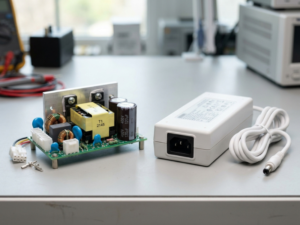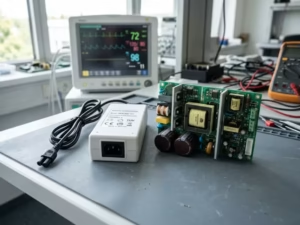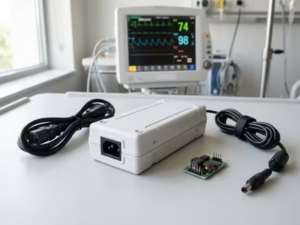
Many medical device teams pick a power supply too late in the project. They then pay for it with redesigns, failed tests, and launch delays. I have helped many engineers avoid that trap.
Open frame and desktop medical power supplies both work well in medical equipment. But they shape your device in very different ways. The choice affects your:
- Thermal design
- Leakage current budget
- EMC work
- Serviceability
- Certification path
- Time-to-market
This article skips the glossary. I will show you how to judge which option fits your specific device, so you can make the call early and with confidence.
Open Frame and Desktop Medical Power Supply: Core Differences
On paper, these look like the same product in different packaging. In practice, they split the engineering work very differently.
What Is an Open Frame Medical Power Supply?
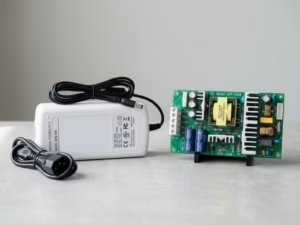
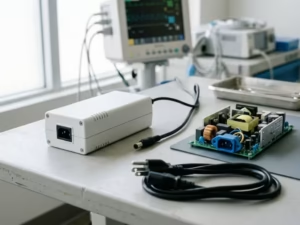
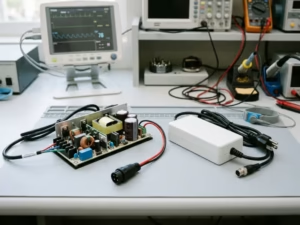
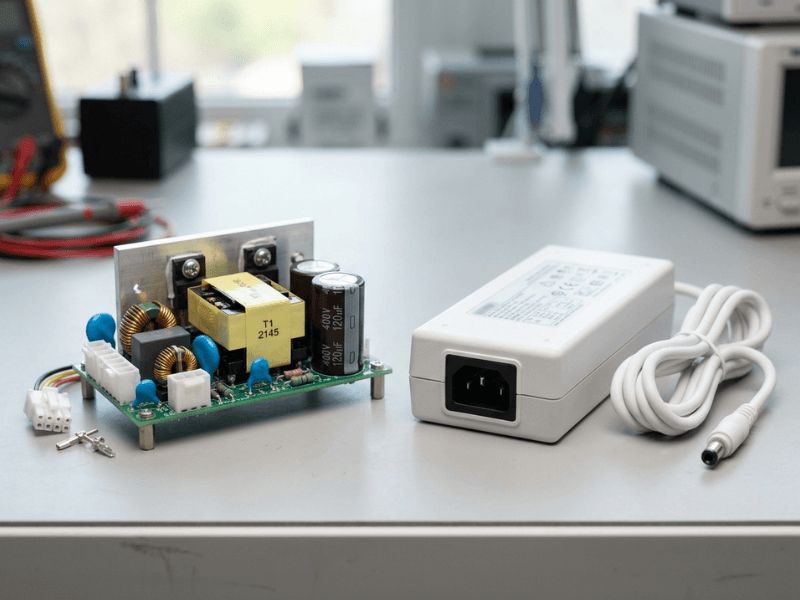
An open frame supply is a bare circuit board with exposed components and no housing. You mount it inside your device on standoffs or a chassis bracket.
Your enclosure becomes its protective shell. You gain compact size and layout freedom, but you also take on more design work.
What Is a Desktop Medical Power Supply?
A desktop supply is a sealed external adapter, often called a “brick.” An AC cord feeds one end, and a DC cable runs to your product.
Its housing handles insulation, enclosure safety, and most heat management. Your device needs only a DC input jack, which keeps mains circuitry outside your enclosure.
The Real Difference Is Who Owns the Risk
I tell every client the same thing: stop comparing shapes and compare responsibility.
With a desktop supply, the vendor carries most of the AC-side safety, creepage, and enclosure work. With an open frame unit, you inherit those jobs. Your enclosure, grounding, spacing, cooling, and EMC layout all become part of the power system.
That boundary decides how much testing and redesign risk lands on your team.
Before You Check Power Ratings, Run Through These 6 Criteria
Most teams filter a catalog by wattage first. I ask them to wait. Wattage tells you what a supply can deliver, not where it belongs.
Choose Open Frame If…
- Your device needs several output rails. Many open frame units deliver two to four outputs from one board. A brick typically gives one rail, so you would need internal DC-DC converters.
- Your load runs high or spikes hard. Motors, pumps, and heaters pull short peaks. Open frame designs usually scale to higher wattage and avoid long DC cords that drop voltage at high current.
- Your device stays put and you control the inside. Cart systems and fixed lab analyzers suit open frame when you own the airflow path.
Choose Desktop If…
- The device goes home with the patient. Home products face IEC 60601-1-11 and untrained users. A sealed Class II brick keeps mains away from the device.
- Your product is portable or benchtop. Moving the supply outside cuts internal heat and weight and frees space for batteries or sensors.
- You need fast service or a fast launch. Users can swap a brick in seconds, and the vendor carries much of the AC-side safety work.
If Your Case Is Mixed, Check These Tie-Breakers
Decision Factor | Open Frame Tends to Fit | Desktop Tends to Fit |
|---|---|---|
Use environment | Hospital, clinic, or lab | Home or mixed settings |
Thermal headroom | Planned airflow path | Warm or sealed enclosure |
Leakage target | Team manages spacing and grounding | Vendor carries AC-side risk |
EMC ownership | Strong in-house EMC layout skills | Pre-tested power block preferred |
Product look | One clean unit | External cable is acceptable |
If the table still splits evenly, lean toward the option that lowers your safety and leakage risk.
Mechanical Integration: Space, Mounting, and Service Access
Every supply needs a physical home. That home shapes your enclosure, assembly line, and field service plan.
When Internal Space Favors Open Frame
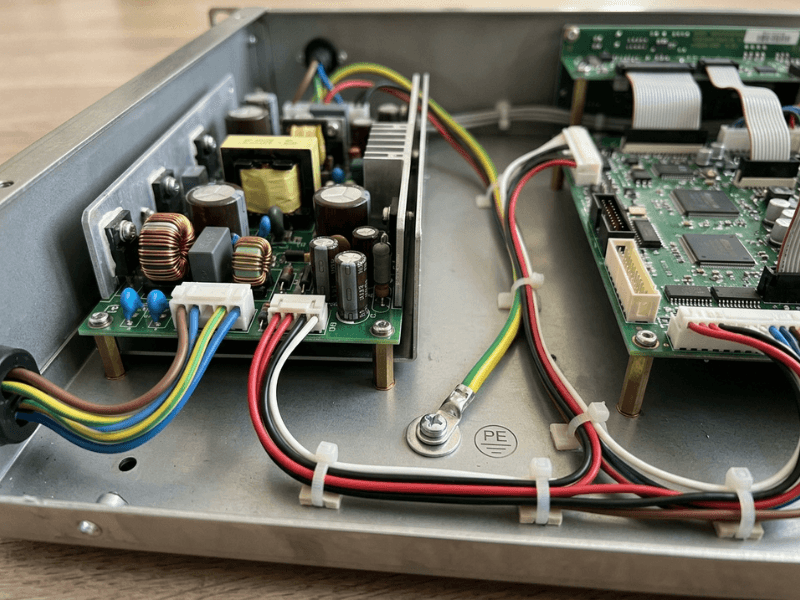
Common footprints like 2″ x 4″ or 3″ x 5″ sit neatly beside a main PCB. You ship one product with a single AC inlet.
Plan details early. Leave creepage clearance to the chassis, mark which mounting holes tie to protective earth, and keep tall capacitors away from sheet metal.
When External Placement Simplifies the Product
A brick moves the hottest part outside. Inside, you need only a DC jack and a short harness. Your enclosure can shrink, and plastic housings get easier because no mains wiring runs through them.
Choose a locking, keyed DC connector to stop accidental unplugging and wrong-adapter mistakes.
Why Serviceability Often Changes the Decision
A failed brick usually takes under a minute to swap, with no tools. A failed open frame board means opening the device, swapping the board, and often running a hipot or leakage check afterward.
Cables matter in both designs. External cords need molded strain relief. Internal wires need clamps so vibration cannot loosen terminals.
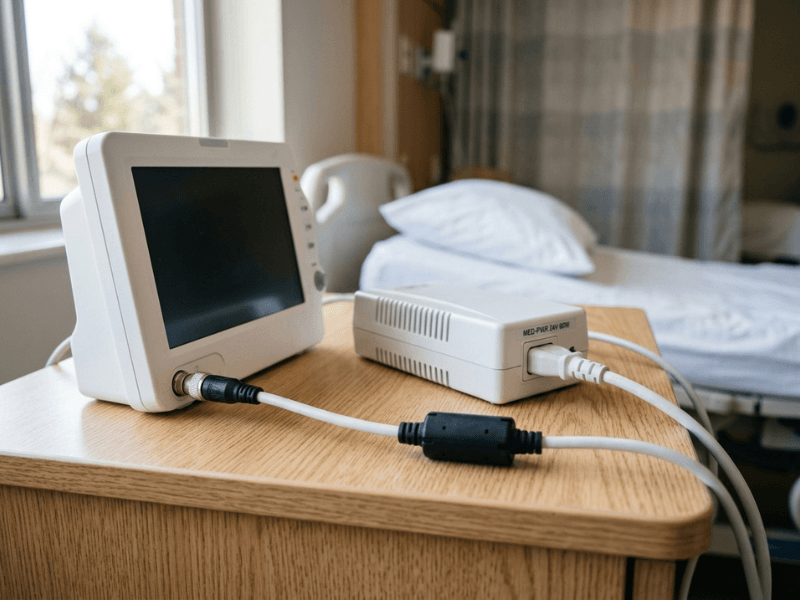
Thermal Design: Where Many Good Choices Fail in Practice
Heat derails more medical power projects than any other issue I see. A supply passes the first bench test, then struggles inside the real product.
Open Frame Depends on the Host Enclosure
Datasheets often list one rating for convection and a higher one for forced air, such as 100 W free air and 150 W with 10 CFM. Your device rarely matches those conditions.
A bench pass is not an enclosure pass. Inside a closed housing at 40°C, the same board may run 20°C hotter. Electrolytic capacitor life roughly halves with every 10°C rise.
Desktop Bricks Make Derating Easy to Overlook
Most bricks deliver full power only up to about 40°C ambient. Above that, output can drop to 50% at 70°C. Users also push bricks under blankets, which traps heat fast.
I suggest keeping continuous load at 70–80% of the derated value, not the label value.
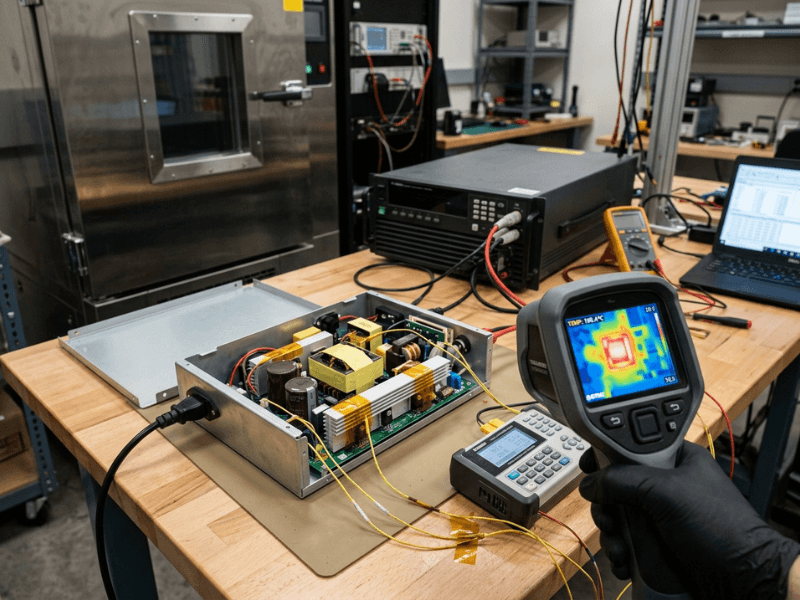
How to Validate Thermal Performance Before Locking the Design
- Test in a production-intent enclosure with every board, cable, and fan installed.
- Run at worst-case ambient in a thermal chamber.
- Load at low line, such as 90 VAC, and let temperatures settle for one to two hours.
- Place thermocouples on the transformer, rectifiers, bulk capacitors, and FETs.
- Confirm the airflow path with a smoke pen or anemometer.
- Scan with a thermal camera to catch missed hotspots.
- Recheck the derating curve against your measured local ambient.
Safety, Leakage Current, and EMC: What Actually Affects the Device Design
These rules shape your enclosure, grounding, and supply choice long before final testing.
When 2x MOPP Really Matters
If your device has an applied part, such as ECG leads or a patient probe, you typically need 2x MOPP between mains and the patient. That usually means 4,000 VAC isolation and 8 mm creepage.
Many open frame and desktop units already provide 2x MOPP, so form factor rarely decides this point. Operator-only devices may need just 2x MOOP. If your product line might add patient contact later, choose 2x MOPP now.
Class I vs Class II Changes More Than Grounding
Class I uses protective earth. Class II relies on double or reinforced insulation. Without earth, leakage flows through anyone touching the enclosure, so touch current must stay under 100 µA in normal condition.
Class II supplies use smaller Y-capacitors, which makes common-mode noise harder to drain. Home use often tips the scale toward Class II, since nobody can verify a home outlet’s ground.
Leakage Current Is Not a Box-Checking Detail
Under IEC 60601-1, patient leakage for Type BF parts stays under 100 µA in normal condition, and Type CF drops to 10 µA.
An open frame supply places its Y-capacitors inside your enclosure, near patient circuits. A brick keeps them outside. Either way, add up every subassembly early. Many supplies pass alone but push the device over once motors and data ports join.
EMC Responsibility Shifts With the Architecture
IEC 60601-1-2 tests your finished device, not the supply alone.
With open frame, you own more EMC work: ground points, cable routing, and board placement all affect emissions. With desktop, the vendor handles most AC-side filtering, but the DC cable can act as an antenna. A ferrite or shielded cord often fixes this.
Ask vendors for EMC reports in a setup like yours. A supplier with in-house EMC testing and validation can often run pre-compliance scans on your early prototype, not your last.
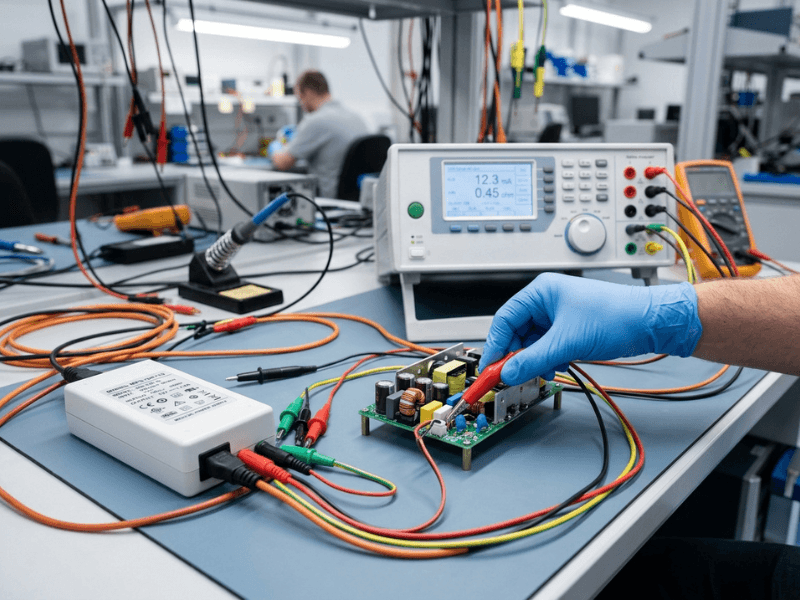
Cost and Time-to-Market: The Unit Price Is Not the Full Story
Why Open Frame Can Look Cheaper Than It Is
An open frame unit often costs 15–30% less than a comparable brick. Then your line adds standoffs, an AC inlet, a fuse holder, earth bonding, and hipot testing. Any later change, like a new fan, can trigger fresh thermal, leakage, and EMC testing.
Why Desktop Can Save Engineering Time
A brick may cost more per unit, yet it often reaches market sooner. The vendor already handled mains isolation and most line filtering. Your safety file shrinks, and main board redesigns rarely require retesting the power block.
Plan for Second Sources and Lifecycle Early
Medical devices often stay in production 7–10 years, while many supplies follow a 3–5 year cycle. Ask for lifecycle commitments and qualify a second source before launch. Bricks usually swap more easily. Open frame replacements must match footprint, connectors, and thermal behavior.
Best-Fit Use Cases
The choice gets clearer when you picture the actual device. Reviewing broader medical power supply applications also helps before you lock the architecture.
Open Frame Is Usually the Better Fit For…
- Multi-rail devices like ultrasound systems and lab analyzers that need 5 V, 12 V, and 24 V from one board.
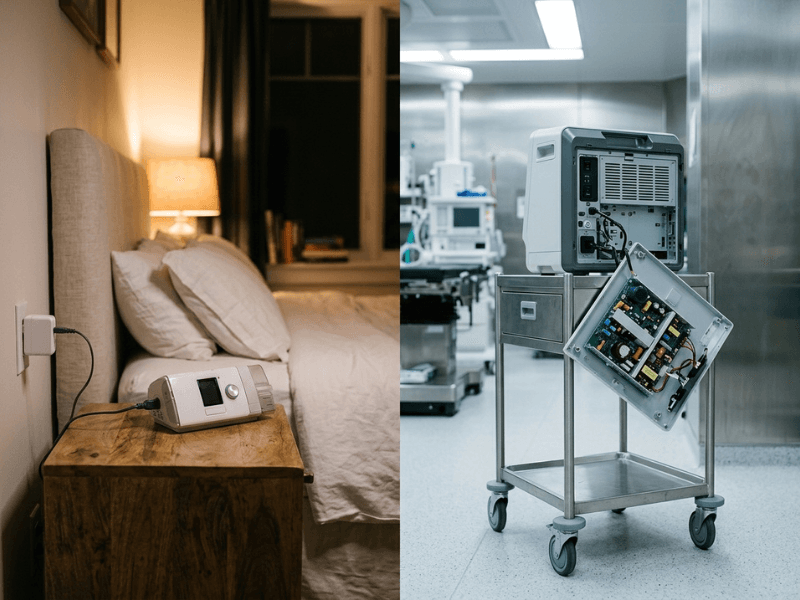
- High-power equipment such as surgical consoles and dialysis machines drawing 300 W or more.
- Fixed installations like rack systems and hospital carts with a planned airflow path.
Desktop Is Usually the Better Fit For…
- Home healthcare devices such as CPAP machines and nebulizers, where Class II simplifies IEC 60601-1-11 compliance.
- Portable and benchtop instruments like point-of-care analyzers that benefit from less internal heat.
- Fast-service or fast-launch products, including rental fleets and startup first releases.
Cases Where Either Option Can Work
A single-rail device drawing 60–150 W often runs well on either type. I ask three questions: Who will service it? How much thermal headroom exists? Will future versions add rails or motors? Some teams launch with desktop and move to open frame in generation two.
A Practical Selection Checklist for Medical Device Designers
Run these six checks in order. Each answer narrows the next.
- Define patient contact and use environment. Note your applied part type and where the device lives.
- Confirm MOPP and leakage targets. Build a leakage budget covering every subassembly. If the supply alone uses over half, keep shopping.
- Decide Class I or Class II. If you cannot count on reliable earth, go Class II.
- Map output rails and peak load. Three or more rails, or loads above roughly 200 W, usually favor open frame.
- Check enclosure, airflow, and service access. Tight, warm housings and user-level service typically point toward desktop.
- Verify regional approvals and lifecycle risk. Confirm the CB report, national approvals, and a qualified second source.
If you still feel torn, return to steps 1 and 2. Safety should break the tie, not price.
Common Mistakes That Lead to Rework
Choosing by Unit Price Only
Saving $6 per unit means little if you later add an inlet, filter, and hipot station, then fail leakage. Compare total cost.
Assuming a Certified PSU Guarantees Approval
A CB report covers the supply, not your device. Your lab still tests leakage and EMC at system level. Follow the vendor’s conditions of acceptability.
Underestimating Thermal Behavior in the Final Enclosure
One client’s capacitors ran 18°C hotter after a new display blocked airflow. Test in the production enclosure before releasing tooling.
Ignoring Service and Second-Source Risk Too Late
An end-of-life notice in year four can force a board respin. Settle sourcing and service steps before design freeze.
FAQs
What is the main difference between open frame and desktop medical power supplies?
Responsibility. Open frame mounts inside your device, so you own enclosure, cooling, and much of EMC. Desktop shifts most AC-side safety to the vendor.
Which type is better for home healthcare devices?
Desktop often wins, especially Class II designs. It keeps mains out of the device and eases IEC 60601-1-11 compliance.
Do open frame medical power supplies require a protective enclosure?
Yes. Your enclosure must prevent contact with high-voltage parts and meet creepage and fire requirements.
Is lower leakage current always easier with a desktop supply?
Not always. A well-chosen open frame unit with low Y-capacitance can meet tight limits. Your total depends on every subassembly.
When is 2x MOPP required?
Typically whenever an applied part contacts the patient, including Type B, BF, and CF parts.
Can a certified medical PSU reduce device-level testing?
It reduces the work but rarely removes it. Your finished device still needs leakage, dielectric, thermal, and EMC testing.
How should I compare total cost between the two options?
Add unit price, extra parts, assembly labor, test time, engineering hours, and likely revalidation. Then factor in lifecycle risk.
Make the Call in the Right Order
Both supply types work well in medical devices. Your priorities decide which fits.
Open frame tends to win when you need deep internal integration, multiple rails, high power, or one all-in-one product.
Desktop tends to win when you want faster integration, easier service, home-use suitability, and a shorter development path.
Don’t start with wattage or price. Follow this sequence instead:
- Safety and leakage current: set MOPP level and Class I or II.
- Use environment: hospital, clinic, lab, or home.
- Thermal design: real enclosure, real ambient, real derating.
- Mechanical integration: space, mounting, and service access.
- Cost and lifecycle: total cost, second sources, and end-of-life risk.
Settle each step before you move on. When you reach the shortlist stage, browse the full AC-DC power supply product range to compare form factors side by side. Follow this order, and the right supply usually becomes clear.