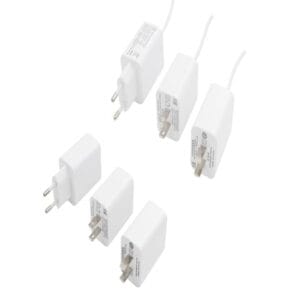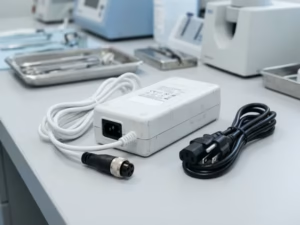
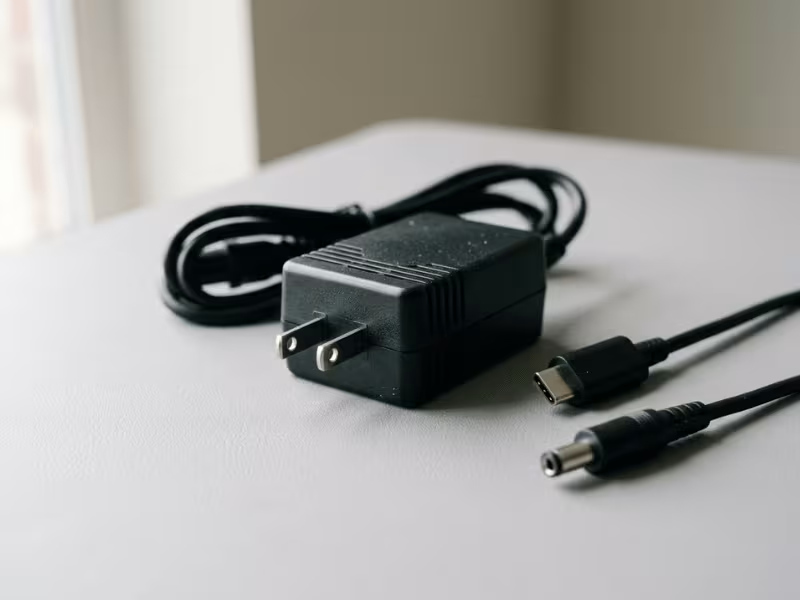
Many buyers assume that if a plug fits, the adapter is safe. It is not.
I have spent years helping people pick the right power adapters, and I see the same mistakes over and over. Most people check only the wall side. They forget the DC output that actually feeds the device. They skip polarity. They ignore wattage. They overlook regional voltage.
Any one of these can kill a device or leave it dead on arrival.
So let me help you get it right. In this guide, I’ll show you how to identify connector types, how to judge real compatibility, and how to buy without costly mistakes.
A Power Adapter Has Two Different Connector Sides
Every power adapter has two jobs. One end takes power from the wall. The other end sends the right power to your device. Miss either one, and the adapter fails you.
Let me walk you through both sides, because knowing the difference saves you money and headaches.
The AC input is the connector that plugs into mains power. It takes high-voltage AC from your wall outlet and feeds it into the adapter.
Here is where people trip up. When someone says “AC connector,” they usually picture only the wall plug. That is half the story.
The wall side matters for your region and safety. It controls whether the plug fits your outlet, whether the adapter grounds properly, and whether it handles your local voltage. But the wall side is rarely where compatibility breaks down.
The DC output is the connector that plugs into your device. It carries the low-voltage DC your device actually runs on.
This end causes most of the trouble I see. Buyers focus so hard on the wall plug that they forget to check the output. Then the adapter arrives, fits the wall, and still won’t power the device.
Why? The output has more variables. Voltage, current, polarity, and the exact plug size all have to match. A laptop wants 19V. A router wants 12V. A small speaker wants 5V. Same wall plug, completely different output needs.
Confusing these two sides is the top reason adapters get returned, arrive dead, or damage a device.
I’ve watched people buy an adapter because “the plug fit,” then connect a 12V device to a 19V output. The device dies instantly. No warning, no second chance.
Hold onto this: a matching plug shape does not mean a compatible adapter.
A connector can slide in perfectly and still send the wrong voltage, the wrong polarity, or too little current. The fit tells you nothing about the electricity behind it. Check both sides before you buy.
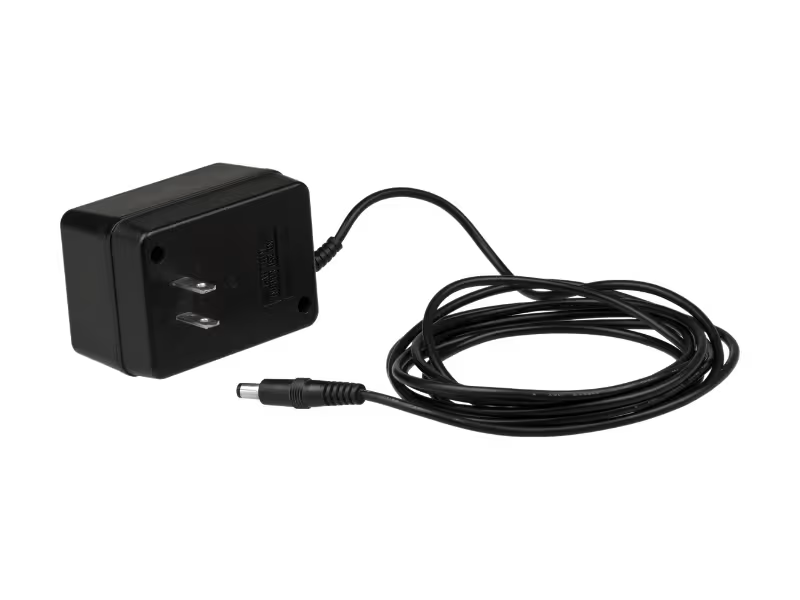
How to Tell Whether a Connector Is Actually Compatible
A plug that slides in tells you nothing. Real compatibility hides behind four things: voltage, current, connector shape, and the conditions where the adapter will live. Let me break each one down.
Voltage Comes First
Voltage is the one number you cannot get wrong. Your device asks for a specific voltage, and the adapter must deliver exactly that.
Say your device needs 12V. Plug in a 19V adapter and you push far too much power into it. Many devices die on the spot.
Going lower is no safer. A 12V device fed 9V may fail to start or behave in odd ways.
So match voltage first, before anything else. If the numbers don’t line up, stop right there. Trust the number printed on your device, not the one that “looks close enough.”
Current and Wattage Are Not the Same Thing
Here is where many buyers get confused. Current can go higher, but never lower.
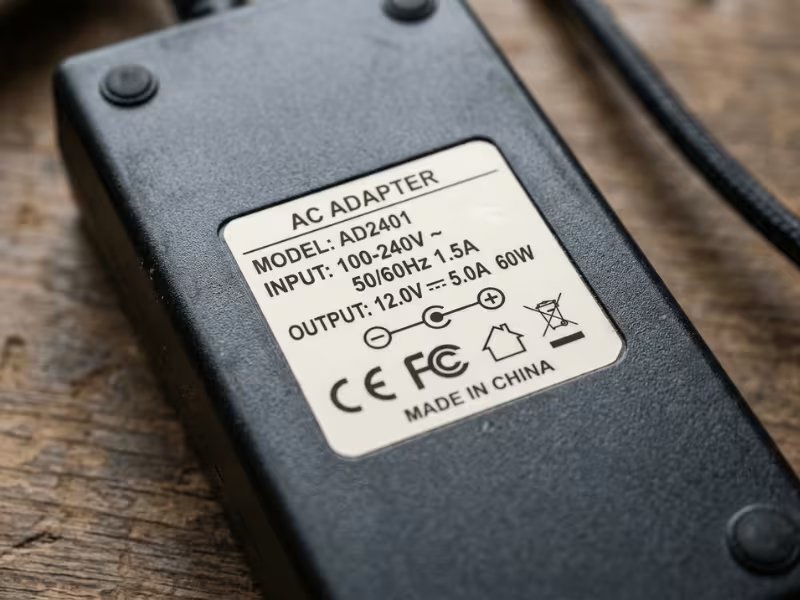
Your device pulls only the current it needs. So a 12V 2A device runs fine on a 12V 3A adapter. The extra headroom just sits in reserve. But drop to a 12V 1A adapter, and you starve the device. It may reboot, dim, or shut off under load.
Now think in watts. Watts equal volts times amps. A 12V 2A adapter delivers 24W. A 12V 5A adapter delivers 60W. Same voltage, same connector, very different power.
This is why an identical-looking barrel plug can still fail you. Two adapters share the same tip, but one supplies 24W and the other 90W. The little one cannot run a hungry device.
So read the wattage, not just the plug.
This is where “fits but fails” bites people hard.
Barrel connectors go by outer diameter times inner diameter, like 5.5 × 2.1 mm. A 5.5 × 2.5 mm plug looks nearly the same, but that half-millimeter matters. Too loose, and you get flicker or arcing. Too tight, and you bend the pin.
Polarity trips up even careful buyers. Center-positive means the tip carries positive voltage. Center-negative flips it. A plug can fit perfectly and still reverse polarity, which can instantly fry your device.
| What to check | Common values | What goes wrong |
|---|---|---|
| Outer × inner diameter | 5.5 × 2.1, 5.5 × 2.5, 4.0 × 1.7 mm | Loose fit, arcing, no contact |
| Polarity | Center-positive vs center-negative | Reversed power damages device |
| Pin count | 2-pin power, 3+ pin data | Missing signal, device won’t start |
Always check the polarity symbol on the label. When you can’t read it, test with a multimeter before you plug anything in.
Grounding, Heat, and Retention in Real Use
Voltage and size get you most of the way. But some environments demand more.
In server racks, industrial gear, or anything that runs all day, a loose plug is a real risk. Vibration works a friction-fit connector loose over time. That’s why locking connectors earn their place here.
Heat matters too. Standard connectors soften near hot equipment like kettles or amplifiers. Grounding protects both you and the device.
| Parameter | What to check | Why it matters |
|---|---|---|
| Grounding | 2-pin vs 3-pin design | Fault protection and shock safety |
| Temperature rating | Standard vs high-temp | Prevents melting near hot gear |
| Retention | Friction vs locking | Stops vibration from pulling it loose |
Match the connector to where it will work, not just to the device on the bench.
Common AC Input Connector Types
The wall side has fewer surprises than the output side, but a handful of shapes still trip people up. Let me show you the ones you’ll actually meet.
If you’ve ever unplugged the cord from a desktop tower or a laptop brick, you’ve already handled an IEC 60320 connector. A few show up again and again:
- C5/C6 — the “Mickey Mouse” or cloverleaf shape on many laptop bricks.
- C7/C8 — the “figure-eight” on small electronics and chargers.
- C13/C14 — the workhorse on desktops, monitors, and servers.
- C15/C16 — looks like C13 but rated for heat, common on kettles.
- C19/C20 — the beefy connector for servers, UPS units, and high-draw gear.
C1/C2 still exist on old shavers and radios, but you’ll rarely buy one today.
| Connector Pair | Common Name | Grounded | Typical Devices | Buyer Note |
|---|---|---|---|---|
| C5 / C6 | Mickey Mouse | Yes | Laptop bricks, projectors | Check the third pin is intact |
| C7 / C8 | Figure-eight | No | Chargers, small audio | Polarized version exists — match it |
| C13 / C14 | Kettle plug | Yes | Desktops, monitors, servers | The everyday standard, easy to find |
| C15 / C16 | High-temp | Yes | Kettles, hot appliances | Use where heat is present; C13 won’t fit |
| C19 / C20 | Power connector | Yes | Servers, UPS, PDUs | Rated 16A+; don’t swap for C13 |
Match the letter pair exactly. A C15 cord won’t seat in a C14 inlet, and forcing it damages both.
Regional Wall Plugs: What Buyers Need to Know
The far end of the cord — the part that meets your outlet — changes by country. Shape is the obvious difference, but grounding and voltage matter more.
| Region | Common Plug Type | Typical Voltage/Frequency | Buyer Note |
|---|---|---|---|
| North America | NEMA 1-15 / 5-15 | 120V / 60Hz | Two- or three-pin; flat blades |
| Europe | Schuko (CEE 7) | 230V / 50Hz | Round pins, side grounding clips |
| UK / Ireland | BS 1363 | 230V / 50Hz | Rectangular pins, built-in fuse |
| Australia / NZ | AS/NZS 3112 | 230V / 50Hz | Angled flat blades |
- If it says 100–240V, you only need a plug adapter.
- If it says a single voltage like 120V only, a plug adapter alone will fry it. You need a converter.
Frequency is the quiet troublemaker. Most electronics ignore the 50Hz versus 60Hz difference. But anything with a motor or a mechanical clock cares. A 60Hz motor runs slow on 50Hz.
Common DC Output Connector Types
The output side is where most adapters go wrong. It has more shapes, more sizes, and more ways to trick you into a bad match.
Barrel connectors are the round plugs you see on routers, monitors, and countless small devices. They go by outer diameter times inner diameter, written like 5.5 × 2.1 mm.
That inner number matters as much as the outer. It’s the hole that slips over the center pin inside the jack.
Here is the trap. A 5.5 × 2.5 mm plug looks almost identical to a 5.5 × 2.1 mm plug. But that 0.4 mm gap means the pin never grips. You get flicker, arcing, or no power at all.
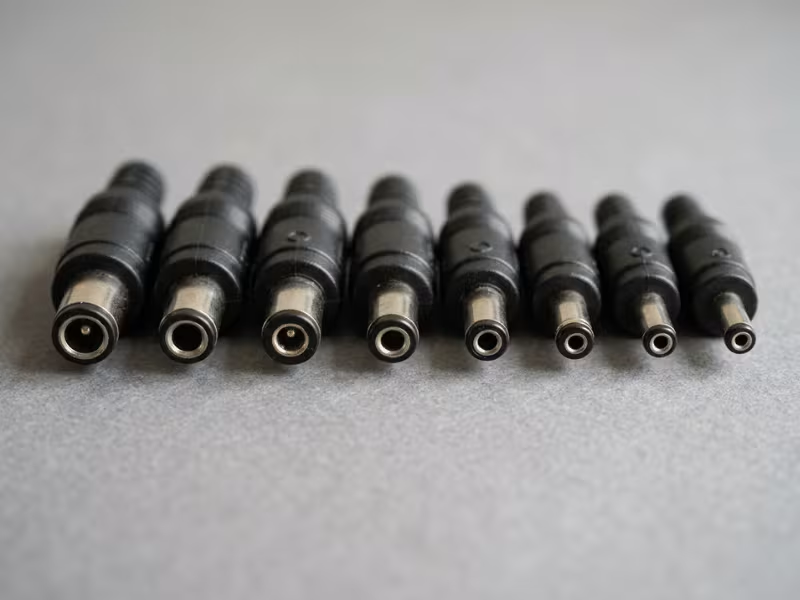
Polarity is the second trap. A plug can seat perfectly and still reverse polarity, which fries a device in seconds.
| Size/Format | Typical Devices | Common Risk |
|---|---|---|
| 5.5 × 2.1 mm | Routers, LED strips, small hubs | Confused with 5.5 × 2.5; loose fit |
| 5.5 × 2.5 mm | Laptops, monitors, larger devices | Pin too thin, poor contact |
| 4.0 × 1.7 mm | Older laptops, some tablets | Easy to over-force and bend |
| 3.5 × 1.35 mm | Small electronics, cameras | Fragile pin, wears out fast |
| 2.5 × 0.7 mm | Mini devices, some tablets | Tiny margin for error |
Always check the polarity symbol on the label. When it’s missing, test with a multimeter first.
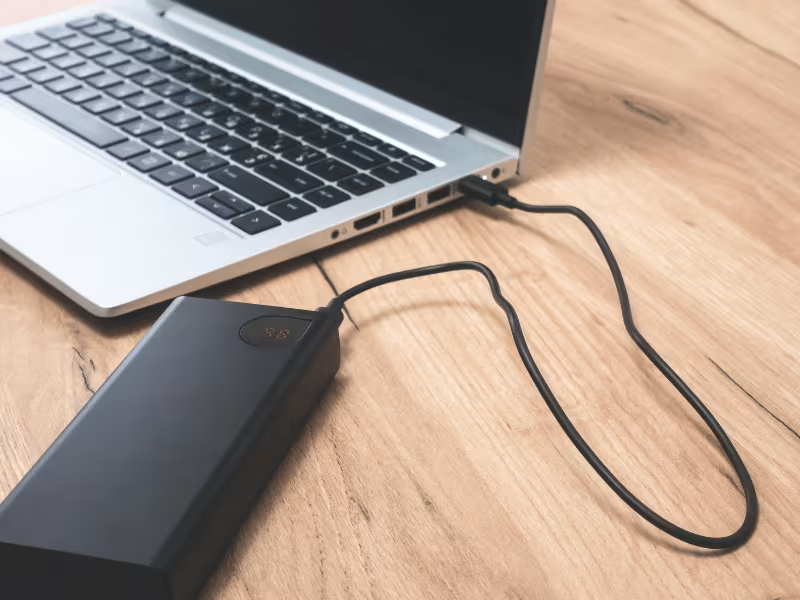
USB-C looks like one universal answer. It isn’t. Two USB-C ports can look identical and deliver wildly different power.
A phone charger might push 18W. A laptop charger might push 100W. Same port, same cable shape, very different output.
USB-C Power Delivery (PD) is a negotiation. The charger, the cable, and the device all have to agree on a voltage and current before power flows. If any one falls short, you get the lowest common result. A 100W charger with a 60W cable delivers only 60W.
| What sets the limit | Watch for |
|---|---|
| Charger wattage | 18W, 45W, 65W, 100W ratings vary widely |
| Cable rating | Non-PD cables cap current, throttle power |
| Device request | Draws only what it negotiates |
So can USB-C PD replace a barrel charger? Often, yes. Many modern laptops, monitors, and docks accept PD directly. Match all three parts, and choose reliable USB PD chargers rated for the wattage your device needs.
Locking and Specialty Connectors
Some jobs need a connector that won’t shake loose or fail under load.
Locking barrel connectors add a threaded ring that screws onto the jack. You’ll find them in industrial gear and outdoor cameras. Many powered network devices rely on PoE adapters instead, carrying power and data over one Ethernet run.
Anderson Powerpole connectors are the standard in ham radio, RC setups, and emergency power. XLR four-pin connectors run professional audio and broadcast gear.
Then there are proprietary connectors on cameras, label printers, and POS terminals. Fit looks fine, but voltage and pin layout may be unique. For these, match the exact model, or confirm voltage, current, and pin layout before you order.
How to Match a Power Adapter Without Guessing
Let me turn everything above into a simple routine. Work through these five steps in order.
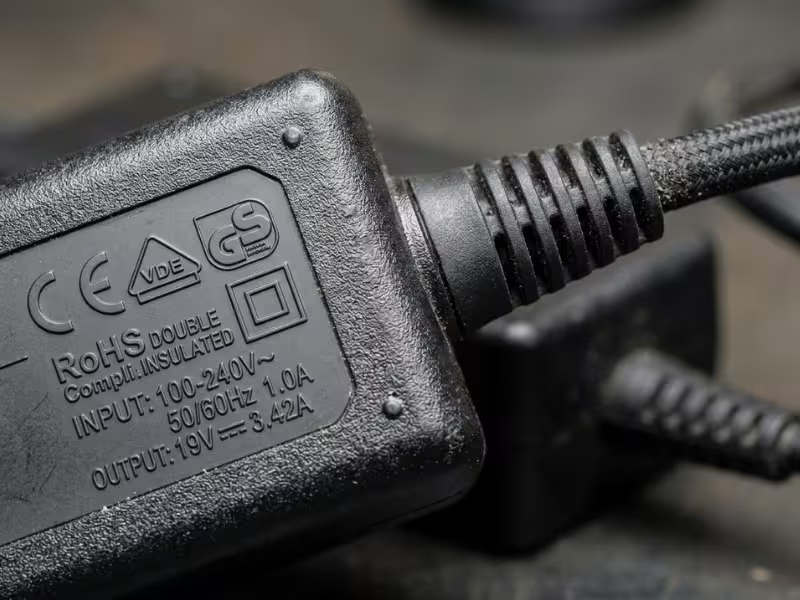
Find the label and read what it asks for: voltage, current, polarity, and wattage. Watch the wording — you want the input rating, not the output. Snap a photo so the specs become your shopping list.
Check the plug shape against your outlet, the IEC coupler between cord and brick, and whether the job needs grounding. Metal-cased or high-draw gear wants a three-pin design.
Match the barrel size exactly, like 5.5 × 2.1 mm. Don’t trust your eyes — grab calipers if you have them. Confirm polarity, check the pin layout, and pick a straight or right-angle plug to fit your space.
Multiply volts by amps to get watts. Give yourself room — a 60W device pairs well with a 65W or 72W adapter. Current can go higher, never lower.
Watch the connection for the first hour. Warm is normal; hot, buzzing, or a burning smell is a warning. If anything feels off, unplug it. For non-standard needs, sourcing custom power adapters built to your exact specs beats forcing a near-fit off the shelf.
The Most Common Adapter Buying Mistakes
Every one of these is easy to avoid once you know what to watch for.
The shape tells you nothing about the electricity behind it. Match the numbers first, then check the fit.
Two identical-looking plugs can send power in opposite directions. The wrong one fries a device instantly. Check the polarity symbol every time.
Two USB-C chargers can look identical and deliver very different power. The weakest link — charger, cable, or device — wins. Match the wattage across all three.
A plug adapter only changes the shape. Feed a 120V-only device 230V through one, and it often dies on the spot. Read the input rating first.
Selectable-voltage units often lack real certification, and their output can wander far from the label. Spend a little more on clear specs and a mark you can verify.
Safety Checks Before You Buy
A cheap adapter can cost you far more than it saves. Run through a few quick habits before you check out.
Check the housing for UL, ETL, or CE. These tell you the adapter passed independent testing. A no-name unit with no marks is a gamble.
Metal-cased or high-draw gear needs a grounded three-pin design. Small plastic-cased chargers use double insulation instead. Both are safe when matched to the right device.
Strain relief is the thick collar where the cable meets the plug. Route your cable in gentle curves, not tight kinks, so the copper doesn’t fatigue and fray.
Warm is normal. Hot, buzzing, or a burning smell is not. Unplug a failing adapter right away — it rarely gets better.
A Practical Checklist for Choosing the Right Adapter
Snap a photo of this list, then run through every point before you buy. If an adapter fails even one, keep looking.
- Device voltage — must match exactly. Not close. Exact.
- Current/wattage — equal or higher than the device needs, never lower.
- Polarity — center-positive or center-negative, confirmed against the label.
- DC connector size/type — the precise barrel size or plug format, measured, not guessed.
- Plug region — fits your outlet, or you carry the right plug adapter.
- Grounded or not — three-pin for metal-cased gear, double-insulated for small chargers.
- Certification marks — a real UL, ETL, or CE mark on the housing.
- Cable orientation — straight or right-angle, whichever fits your space.
FAQs
A: The AC connector plugs into
A: The AC connector plugs into your wall outlet and takes high-voltage mains power into the adapter. The DC connector plugs into your device and carries the low-voltage power it runs on. Most compatibility problems live on the DC side, so give it extra attention.
A: No. A plug that fits tells you nothing about the power behind it. A 5.5 × 2.5 mm plug can slide into a 5.5 × 2.1 mm jack and still fail. And a fitting plug can carry the wrong voltage or reversed polarity. Match voltage, current, and polarity first.
A: Check the polarity symbol on the device label. It looks like a small circle with a line and plus/minus marks. If the plus sits on the inner circle, the tip is positive. When the label is unreadable, test with a multimeter before you plug anything in.
A: Often, yes — but check first. A travel adapter only changes the plug shape. Read the charger’s input rating. If it says 100–240V, a plug adapter is enough. If it lists a single voltage like 120V only, you need a voltage converter instead.
A: Often, yes, if your device accepts it. Check the device for a USB-C power input and its required wattage. Then match all three parts: charger, cable, and device. A 65W device needs a 65W-or-higher charger and a cable rated to carry it.
A: Nothing bad. Your device pulls only the current it needs, so extra capacity sits in reserve. A higher rating often means the adapter runs cooler and lasts longer. Current can go higher, never lower — but voltage must always match exactly.
Buy by Specs, Not by Shape
Every adapter has two sides. Sort them out first. Match the AC input to your outlet, then match the DC output to your device.
Next, cross-check the numbers against the device label. Voltage must match exactly. Confirm polarity, measure the connector size, and give the wattage a little headroom. Skip any one of these, and you risk a dead device.
Here’s the habit that saves you every time: before you shop, photograph the device’s rating label and its connector. Snap both.
Now the exact specs travel with you. You buy the right adapter the first time, not the third.