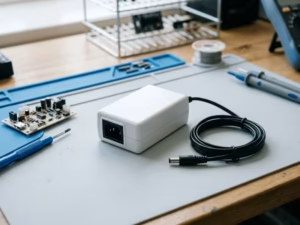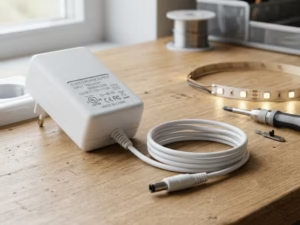
Installing a POE adapter (POE injector) may seem straightforward, but incorrect wiring, poor cable quality, or misunderstanding POE standards can lead to unstable operation, device damage, or safety risks.
What Is a POE Adapter?
A POE adapter (often called a POE injector) is a Power Sourcing Equipment (PSE) device that supplies electrical power and data over a single Ethernet cable to a Powered Device (PD) such as:
IP cameras
Wireless access points (APs)
Network sensors
Industrial Ethernet devices
POE adapters are typically used when an existing network switch does not support POE.

Basic POE Adapter Wiring Diagram
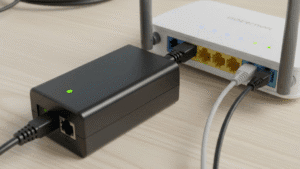
A standard POE adapter has two Ethernet ports:
LAN / Data IN – connects to a non-POE switch or router
POE / Data + Power OUT – connects to the powered device
[Network Switch / Router]
│
│ (Data only)
▼
[LAN / Data IN]
POE Adapter
[POE / Data + Power OUT]
│ (Data + Power)
▼
[Powered Device (PD)]
Reversing these ports is one of the most common installation errors.
Step-by-Step: How to Install a POE Adapter Safely
Step 1: Confirm Device POE Compatibility
Before installation, verify:
The device supports IEEE POE (802.3af / at / bt)
Required power level (W)
Whether the device is POE-capable or non-POE
Non-POE devices require a POE splitter and must not be connected directly.
Step 2: Check the POE Adapter Specifications
Confirm the POE adapter supports:
Correct IEEE standard (af / at / bt)
Sufficient maximum output power
AC input voltage matching local mains supply
Avoid using passive POE adapters unless explicitly required by the device.
Step 3: Prepare Proper Ethernet Cabling
Use:
Cat5e or Cat6 pure copper Ethernet cable
Cable length ≤ 100 meters
Properly terminated connectors
Avoid:
CCA (copper-clad aluminum) cables
Damaged or kinked cables
Excessive inline couplers
Step 4: Connect the Network Side (Data IN)
Connect the LAN / Data IN port of the POE adapter to the network switch or router
Ensure the switch port is non-POE or POE-disabled
This port carries data only, no power.
Step 5: Connect the Powered Device (POE OUT)
Connect the POE / Data + Power OUT port to the powered device
Use a direct Ethernet cable without splitters or adapters (unless required)
Once powered, the adapter will negotiate power automatically if IEEE-compliant.
Step 6: Apply AC Power and Verify Status
Plug the POE adapter into AC power
Observe indicator LEDs (if present)
Confirm the powered device boots normally
If the device fails to start, disconnect power and recheck wiring.
Installing a POE Adapter with a Non-POE Device
For non-POE devices, the setup requires a POE splitter:
[POE Adapter]
│
▼
[POE Splitter]
├─ Ethernet (Data)
└─ DC Output (5V / 12V / 24V)
│
▼
[Non-POE Device]
The splitter separates power and data safely according to IEEE standards.
Common POE Installation Mistakes to Avoid
Reversing LAN IN and POE OUT ports
Using passive POE with standard IEEE devices
Underestimating device power requirements
Exceeding cable length limits
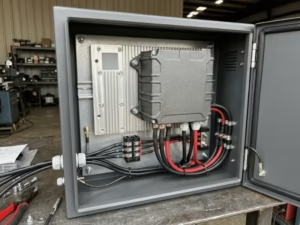
Installing adapters in poorly ventilated enclosures
Most POE-related issues are caused by installation details, not hardware failure.
Safety and Reliability Best Practices
Always power off before changing connections
Use surge protection in outdoor or industrial environments
Provide adequate ventilation for continuous-duty operation
Label POE lines clearly in shared network cabinets
These practices help maintain long-term system stability.
Notes on Quankang POE Adapters (Technical Reference)
In professional POE system design, POE adapters are defined as active PSE devices that comply with IEEE 802.3 standards and perform power negotiation before delivery.
From a technical perspective, Quankang POE adapters are designed to:
Support IEEE 802.3af / at / bt standards
Provide stable POE output for compliant powered devices
Be used within structured networking and power architectures
They are commonly integrated into systems such as:
IP surveillance networks
Wireless access point deployments
Industrial Ethernet installations
As with any POE component, selection should be based on system requirements, environmental conditions, and device specifications, rather than product naming alone.
When a POE Adapter Is the Right Installation Choice
A POE adapter is suitable when:
The existing switch does not support POE
Only a few devices require POE power
Different devices need different power levels
Individual power isolation is preferred
For large-scale deployments, a POE switch may be more appropriate.
Related POE Reference Articles
POE Adapter vs POE Injector: What’s the Difference?
POE Adapter Not Working? 7 Common Problems and Solutions
How to Use a POE Adapter with Non-POE Devices
POE Power Not Enough? Symptoms, Risks, and Fixes
Final Thoughts
Installing a POE adapter safely is less about complexity and more about correct understanding of standards, wiring logic, and power requirements.
By following a structured installation process and verifying compatibility at each step, engineers and installers can ensure reliable POE operation, reduced troubleshooting time, and long-term system stability.